
Why families choose InVenn
Most families run their days on five apps and a fridge door. InVenn puts the calendar, the chores, the lists, the notes and dinner in one place, on the tablet, laptop, PC or phone you already have, with no ads. Here are the reasons, in plain words, and a fair word on who should look elsewhere.
The reasons
Eight reasons to use InVenn
1. A week you can read
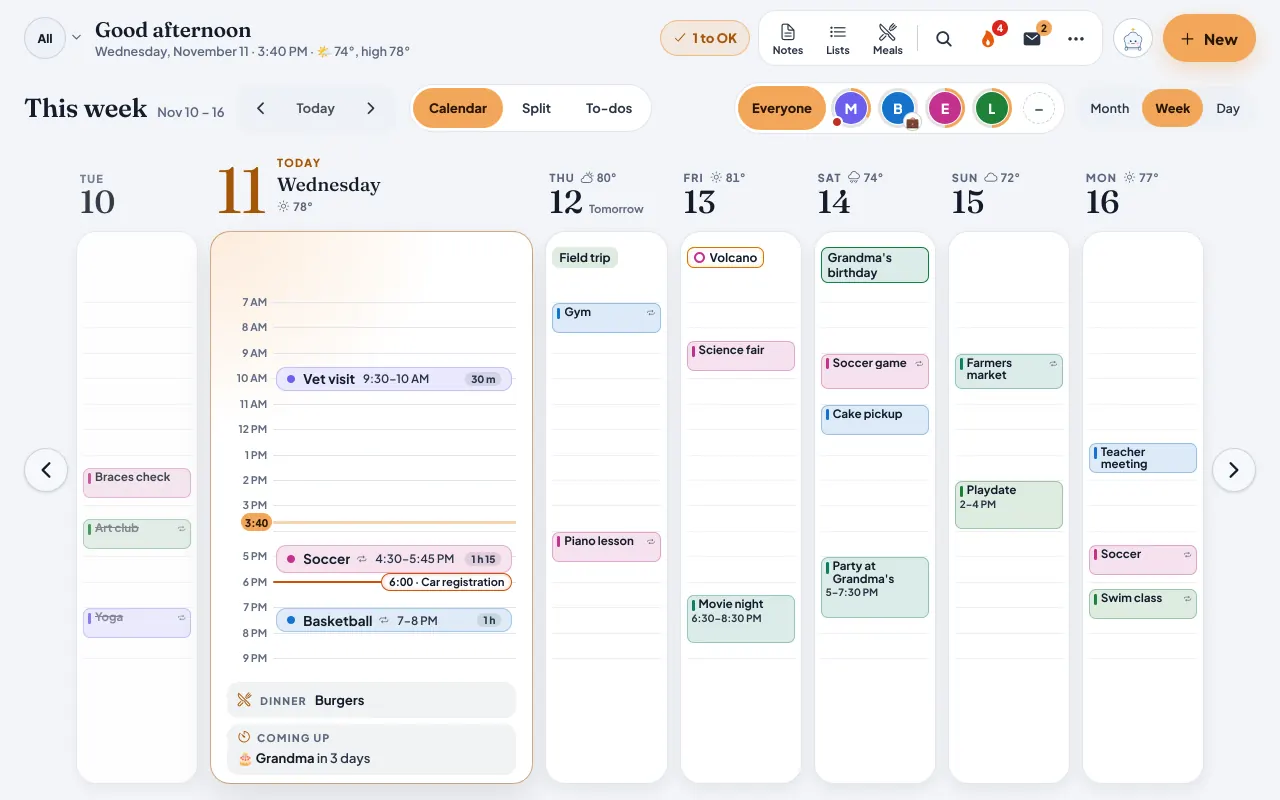
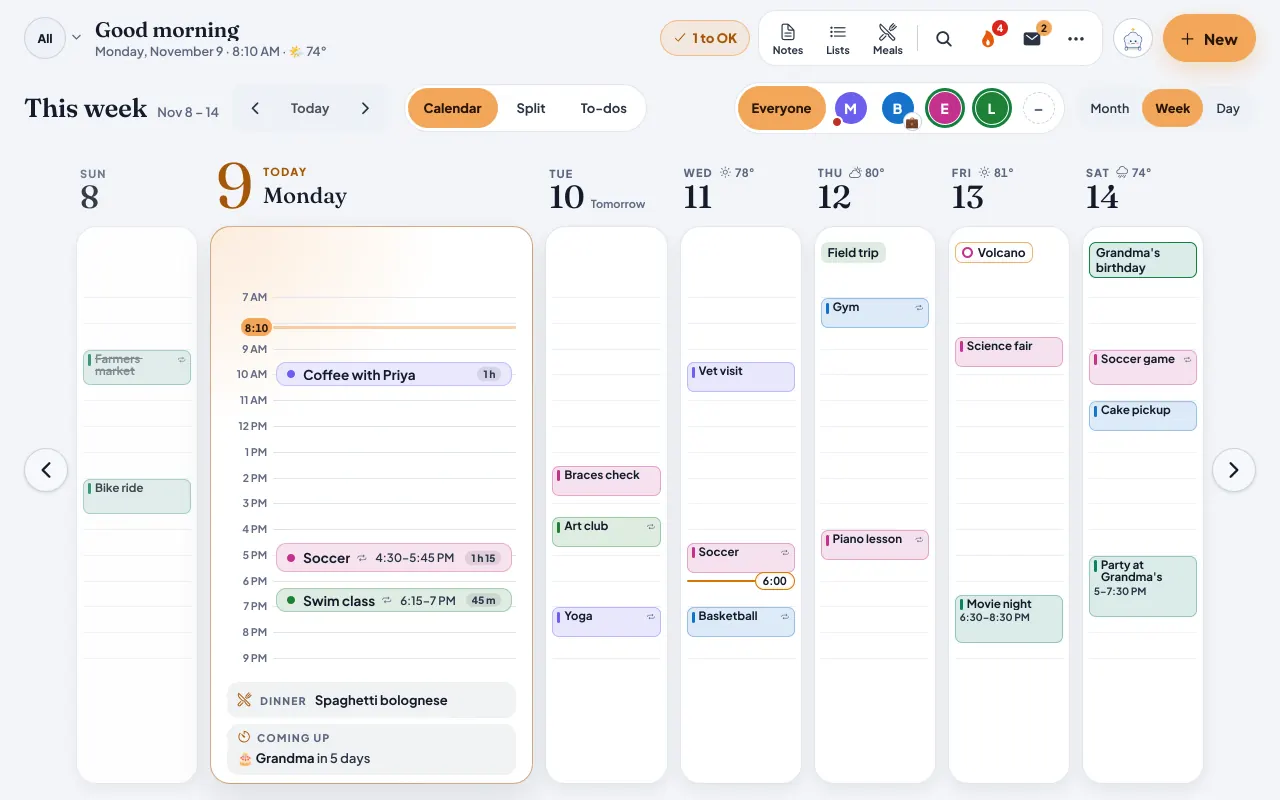
Today is a big card with a real timeline, and every day of the week has hours too. You see who is where, and when, without opening anything.
See the calendar2. The tablet, laptop, PC or phone you already have
An old iPad or Android tablet becomes the family's screen in the kitchen. Nothing to buy, nothing to return.
See the family tablet3. Chores kids want to do
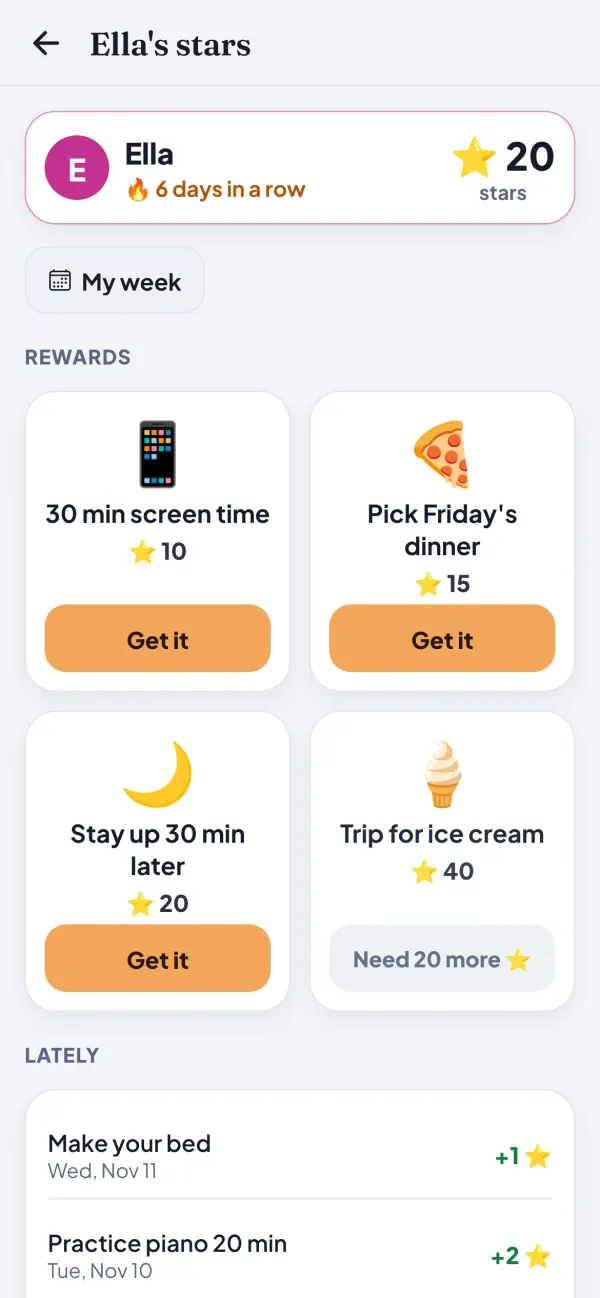
Chores earn stars, stars buy the rewards you chose, and a parent OKs each one, so done means done.
See chores4. Lists that are tables
Columns, sections and dates for a packing list, home upkeep, the school supplies. A list date can show on the calendar.
See lists5. Dates that can't slip
Switch Deadline on and a warm glow runs along its edge everywhere, and stays until it is done.
See deadlines6. Notes with notebooks
House rules, trip plans and gift ideas in notebooks you share with the whole family, chosen people or just you.
See notes7. Yours, and calm
No ads and no tracking. Work stays out of the family's way, parents' PINs guard parent mode, and every device keeps working offline.
See the modes8. Free while it grows
Free to use, in English and Russian, and shaped by the families who use it. See the modules and plans.
See the roadmapOne place, one look
Everything the week needs, side by side
InVenn opens on the family's week. Everyone has a color, so one look tells you who is where. Pick Calendar, Split or To-dos with one tap: the week alone, the week with everyone's to-dos beside it, or the to-dos alone. The same row of people, Everyone, each person and Unassigned, works on every screen from a phone to a big monitor.
That is the real reason to use one app: the event, the chore that goes with it, the shopping list and the note about the sitter all live next to each other, and they all know who they belong to.
- Calendar, to-dos, chores, lists, notes and meals together
- Google Calendar both ways, so nothing is stranded
- On phones, tablets and computers, in English and Russian
Made for kids to use too
The only organizer your kids will touch
Kids tick their own chores on the family tablet with one big green button. A routine shows one big step at a time, with a timer if you like. Stars add up to the rewards your family picked, and a parent OKs both. A kid's own phone shows their things, and a parent's work checklist never appears there.
- Chores, routines, stars and a rewards store
- A parent's OK on chores and rewards
- A School list for homework, apart from chores
Is InVenn right for you?
We would rather you pick the right tool than the loudest one.
InVenn is a good fit if
you run a household with kids, you want chores, lists and the calendar to know about each other, you have a spare tablet, and you do not mind a product that is still being built and improved every week.
Look elsewhere if
you want a finished screen that arrives in a box, you need apps from the App Store or Google Play today (InVenn installs from the browser for now), or you want a tool for a team or a business.
InVenn is still being built. Features are being finished, a few smaller ones may change, and the service is sometimes down for updates. Every family's data is backed up daily, and you can download your own copy any time.
Compared fairly
How InVenn compares
We read each product's own pages and say where it is the better choice. Every table says when it was checked.
InVenn vs Google Calendar
A shared calendar, and what a family organizer adds.
CompareInVenn vs Apple Calendar
iCloud sharing, Family Sharing and Reminders, compared.
CompareInVenn vs Cozi
The long-running free family organizer.
CompareInVenn vs Skylight
A wall touchscreen you buy, or the tablet, laptop, PC or phone you have.
CompareInVenn vs TimeTree
A shared calendar app, and a family organizer.
CompareAll of them in one table
Seven products, side by side.
See the tableAnd it keeps growing
Beside Notes and Lists getting better, InVenn has optional modules: extras that stay off until you turn them on in Settings. Student and Budget are ready today. The AI Assistant, a character you talk or type with, is in private testing and will come to all families later. See the modules or the AI Assistant.
Questions
Good to know
Who is InVenn for?
Families: two parents, kids from about four, and sometimes grandparents who share a calendar. It is not a team tool for a business, and it is not a solo to-do app, though one person can use it that way.
How is InVenn different from a shared Google Calendar?
A shared calendar answers "what is happening?". InVenn also answers "who does what, and did they do it?": chores with stars and a parent's OK, routines, lists, meals, notes and deadlines, plus a family tablet for the kitchen. It connects to Google Calendar both ways, so you can keep using it.
Is it free?
Yes, there is a free plan, and no card is needed. An optional Plus will come later, and we will say what it costs before anyone is asked to pay.
Is InVenn finished?
Not yet, and we say so. Families use it every day, and it keeps growing. Lists and Notes in particular keep getting better, and the roadmap shows the modules and plans.
Do I need to buy a screen?
No. InVenn runs in the browser of the tablet, laptop, PC or phone you already have, and installs to the Home Screen.
Get the app
Get your family's code
Free, and no waiting. Type your name and email: your code appears right away, with step-by-step instructions for every phone, tablet and computer. We email them to you too.
One code per family. We use your email only to send your code and instructions. Privacy policy