
A chore chart app kids actually want to open
Chores earn stars. Kids spend them in your family's own rewards store. A parent OKs what is done, so "done" really means done. It runs on the tablet in the kitchen and on every phone.
Stars and rewards
Something to work toward
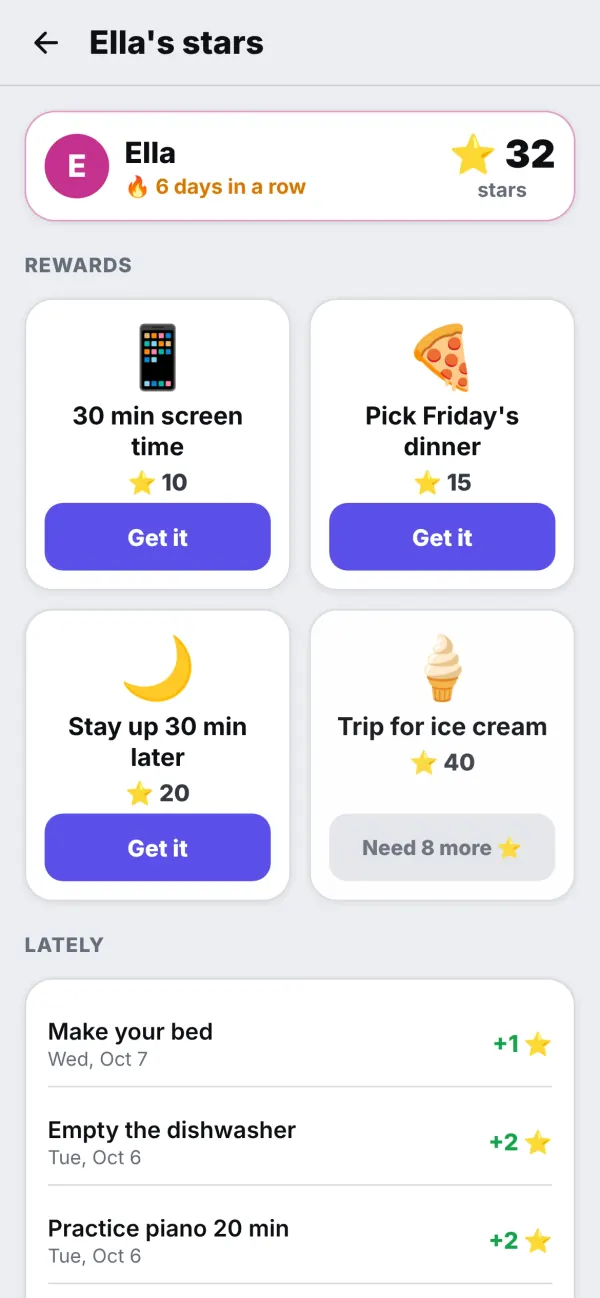
A paper chore chart works for a week. Then the stickers run out, nobody checks, and the chart ends up behind the fridge. InVenn keeps it going: each chore pays a few stars, a streak adds a bonus and a little confetti, and the stars add up to something the kid chose.
The rewards store is yours. Put in 30 minutes of screen time, picking Friday's dinner or a trip for ice cream, and set the price in stars. Kids see how close they are, and ask for a reward with one tap.
- Stars for each chore, a streak bonus, XP and levels
- A rewards store with your own rewards and prices
- A kid's own week: every chore, day by day
A parent's OK
Done means done
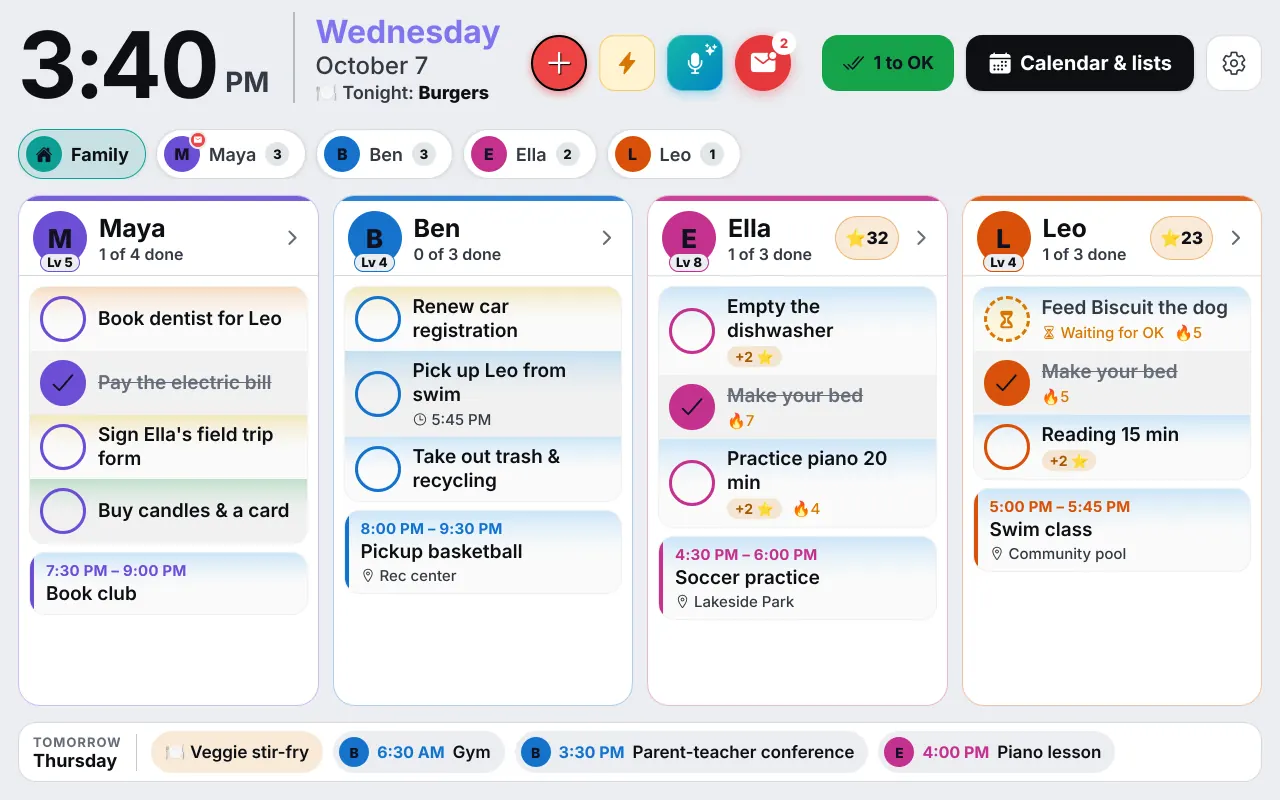
A chore that needs approval waits with a small badge until a parent OKs it. If the bed is not really made, tap Not yet, and the chore comes back as a late row with a reason, instead of vanishing. Rewards wait for a parent too, and only a parent's device can change stars, money or the store.
Calm notifications keep it from becoming a second job. In a new family, a kid's finished chores and reward asks arrive together, at most one notification every half hour, and none at all if a parent has already OKed them.
- Approval on the chores you choose, and on every reward
- "Not yet" sends a chore back, with a reason
- Parent mode behind a PIN on the shared tablet
Fair turns, and pocket money if you want it
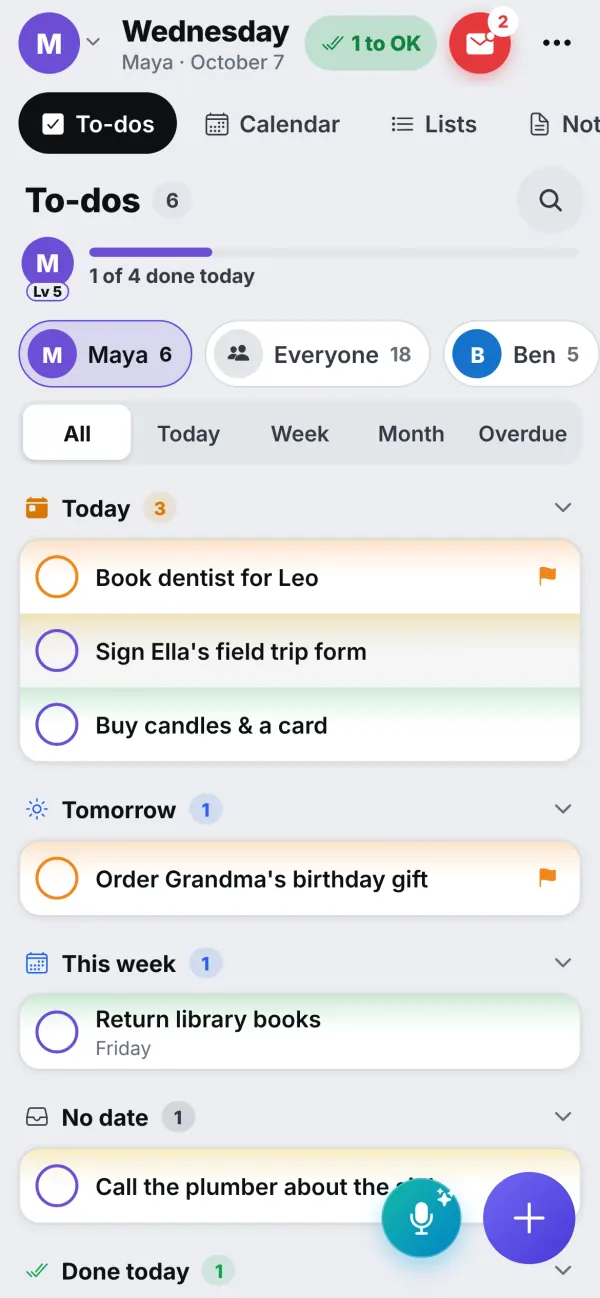
Some chores belong to one kid. Others should rotate: dishwasher this week, trash the next. A take-turns chore remembers whose turn it is, and when a kid is away it passes to the next person who is home. Chores can repeat every day, on certain weekdays, or weekly on the chore's own day.
If your family does pocket money, there is an optional allowance with Save, Spend and Give jars. A parent keeps the ledger. Nothing is connected to a bank, and nobody needs a card. The currency can be dollars, rubles or any three-letter code, and the weekly amount is paid once, the same on every device.
Parents also get Kids' week: every chore day by day (done, missed, sent back, waiting for an OK), their routines, and the stars and money that came and went, for this week or the four before. Kids see their own week as well, which often settles the "I did it!" conversation. For mornings and bedtimes, see kids' routines.
Start small
Three chores, one reward, one week
Pick the first chores
Getting started can add two starter chores for each kid in one tap. Keep it to two or three at first.
Stock the store
Add three rewards the kids really want, and price them so the first one is within reach in a week.
Look at the week
On Sunday, open Kids' week together. Keep what worked, change the rest, and add one more chore.
Questions
Good to know
Does a parent have to approve every chore?
Only the ones you choose. A chore can need a parent's OK before its stars are paid, and rewards the kids ask for always wait for a parent. A parent can send a chore back with Not yet, and it shows as its own late row until it is done again.
Can chores take turns between kids?
Yes. A chore can rotate between kids, or each kid can have their own copy. When someone is away, a take-turns chore passes to the next person who is home.
Is the allowance real money?
No money moves through InVenn and there is no bank card. The allowance is a ledger with Save, Spend and Give jars that a parent keeps, in dollars, rubles or any currency code, paid out once a week.
What can kids spend stars on?
Whatever your family puts in its own rewards store: screen time, picking Friday's dinner, staying up a little later, a trip for ice cream. A parent sets each price and OKs each reward.
Can a child use it without a parent's phone?
Yes. A kid's own device shows their chores, routines, stars and week. On the shared tablet, parent mode stays behind a parent's PIN.
Get the app
Get your family's code
Free during the beta, and no waiting. Type your name and email: your code appears right away, with step-by-step instructions for every phone, tablet and computer. We email them to you too.
One code per family. We use your email only to send your code and instructions. Privacy policy