
Family notes and notebooks, shared the way you choose
House rules, the trip's packing list, gift ideas, the babysitter's instructions. InVenn's Notes have a real editor, notebooks with sections, and sharing you control for each notebook, so the right people see the right pages.
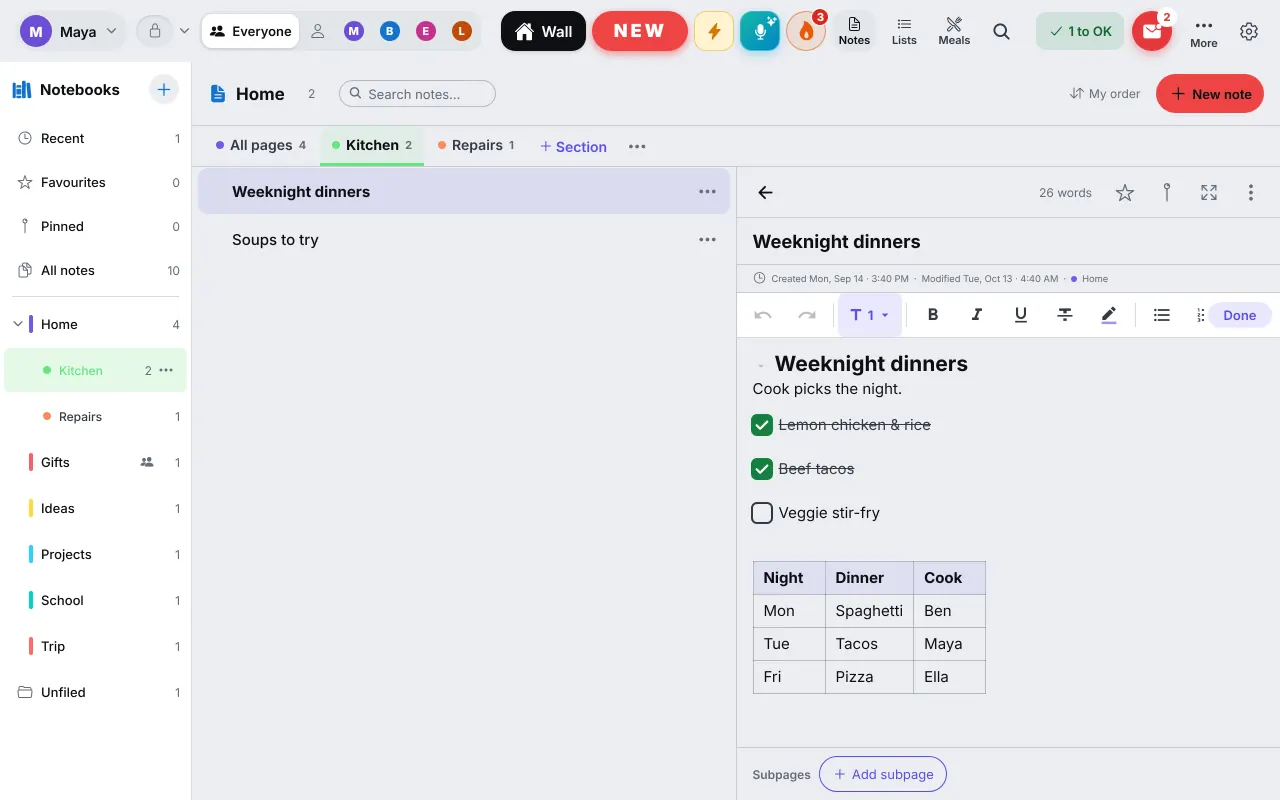
A real editor
Write like you do in a good notes app
Headings, bold, italic, highlight, bulleted lists and checkboxes look the way they will look, with no stray asterisks or hash marks. A toolbar sits above the text, and Markdown shortcuts and keyboard shortcuts work if you prefer them: type "# " for a heading, "[ ] " for a checkbox, Ctrl+B for bold.
Type "/" to add any block: a table, a folding toggle, a coloured highlight. Tap a checkbox on the page to tick it, even from the list. Tables move between cells with Tab.
- Headings, lists, checkboxes, tables and folding toggles
- Text and highlight colours, and a "/" menu
- Two people writing at once, even offline, both keep their words
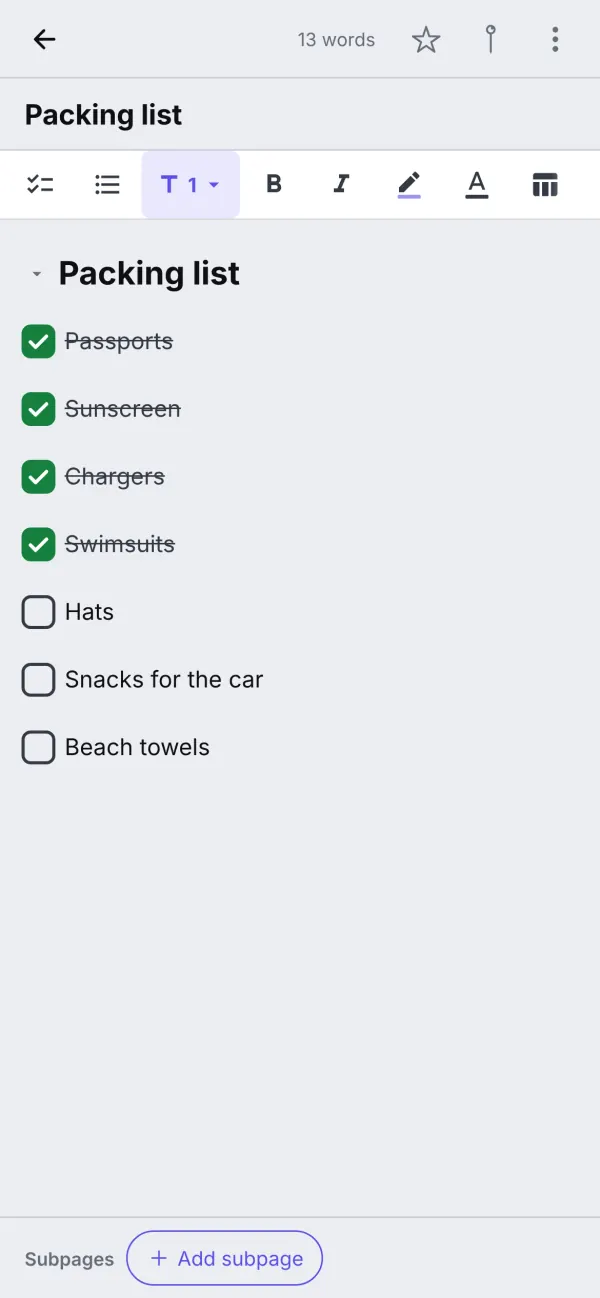
Notebooks, sections and subpages
Pages live in notebooks, and a notebook can have sections: a Home notebook with Kitchen and Repairs, a Trip notebook with Packing and Bookings. A page can have subpages, so "Recipes to try" can hold Soups and Desserts. Put pages in your own order: drag them on a computer, or use Move up, Move down and Move to… on a phone.
Recent and Favourites sit at the top of the list, and search finds every word in any note. Notes you are done with go to the Archive. For lists that you tick off and shop from, use the grocery list.
Sharing
Share each notebook the way you want
A notebook can be the whole family's, shared with chosen people, or just yours. A gifts notebook shared with one parent never shows up on the other's screen. You also choose who may change its pages: everyone who sees it, or only the owner, which suits a kid's School notebook that the family can read.
Moving a page to a place where more people will see it asks you first. Mark a notebook as Work or School and it appears in that mode, not on the family's shared screens. See Work and school mode for how the modes work.
- The whole family, chosen people, or just you
- You choose who may change the pages
- Work and School notebooks, kept apart
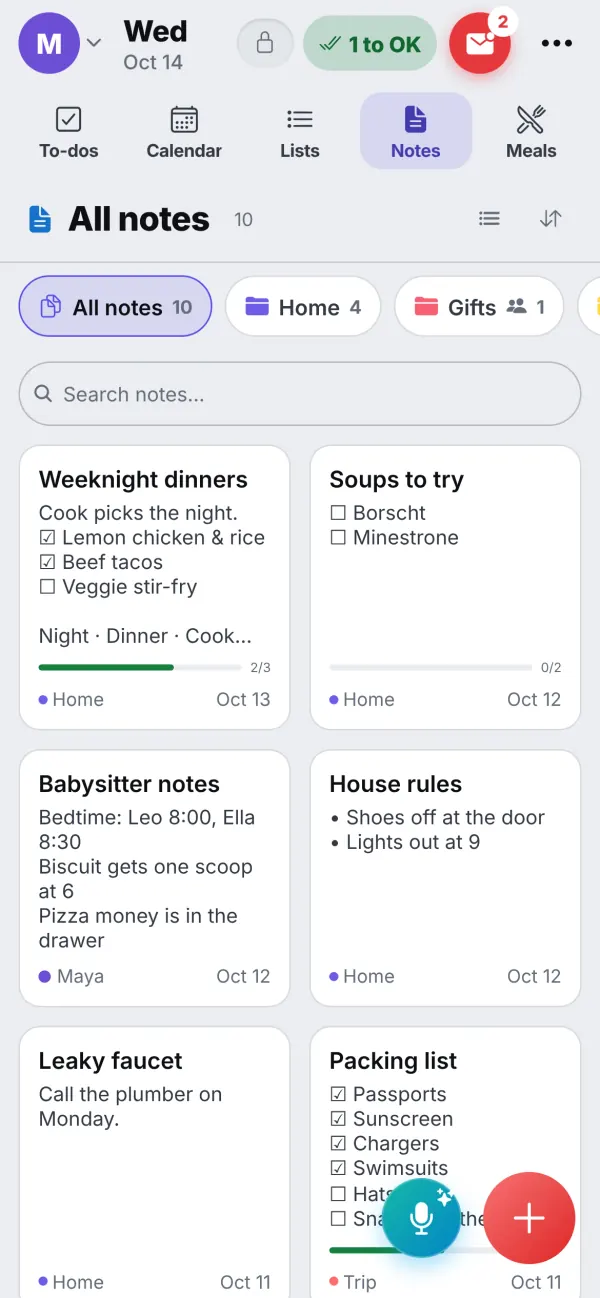
Ideas
What families keep in notes
House rules
Shoes off, lights out at 9, who feeds the dog. One page everyone can read.
The babysitter's page
Bedtimes, the dog's dinner, where the pizza money is. One page to show whoever is looking after the kids.
Trip planning
A packing list the whole family can tick, with Bookings in its own section.
Gift ideas
A private notebook for Grandma's present, shown only to the people you pick.
Recipes to try
A page with subpages for Soups and Desserts, and checkboxes for what you've tried.
Home repairs
The leaky faucet, who to call, and what the plumber said last time.
Questions
Good to know
Can two people edit the same note at once?
Yes, even offline. Both people keep their words, and the note merges when the devices meet again.
Who can see a notebook?
You choose for each notebook: the whole family, chosen people, or just you. You also choose who may change its pages, and a private notebook is only shown after you choose Show private.
Does it have headings, tables and checklists?
Yes. The editor has headings, bold, italic, underline, strikethrough, highlight, bulleted lists, checkboxes, tables, folding toggles, text colours and a slash menu to add any block. Markdown shortcuts such as # and [ ] work too.
Can I keep work notes apart?
Yes. Mark a notebook as Work or School and it shows in that mode, not on the family's screens.
Can I use notes on my phone?
Yes. Notebooks, sections and pages work on phones as well as tablets and computers.
Get the app
Get your family's code
Free during the beta, and no waiting. Type your name and email: your code appears right away, with step-by-step instructions for every phone, tablet and computer. We email them to you too.
One code per family. We use your email only to send your code and instructions. Privacy policy