A family calendar app with a real timeline
Most shared calendars give you a list of events. InVenn gives you the day: today as a big card with a timeline and a line for now, and a week where every day has its hours, in a color for each person. A busy Thursday looks busy, and a free afternoon looks free.
Today
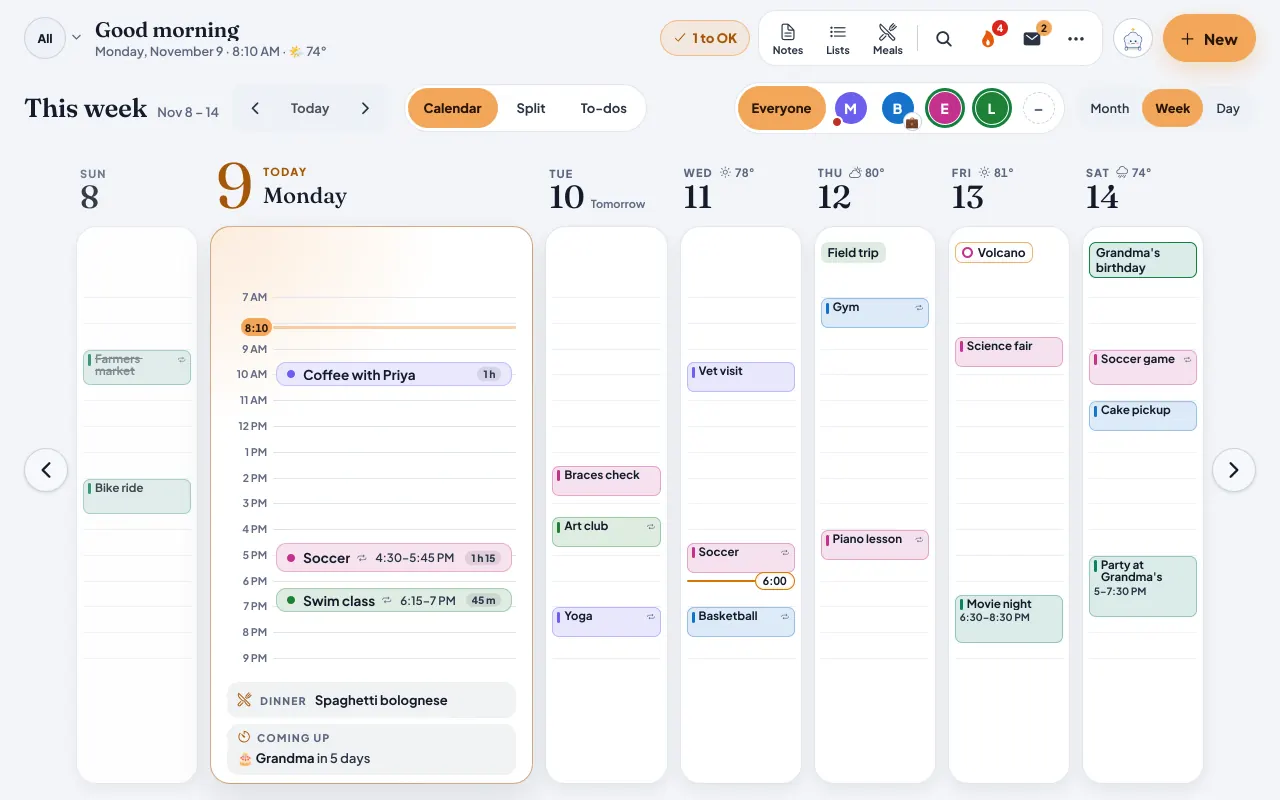
Today is a big card, with a real timeline
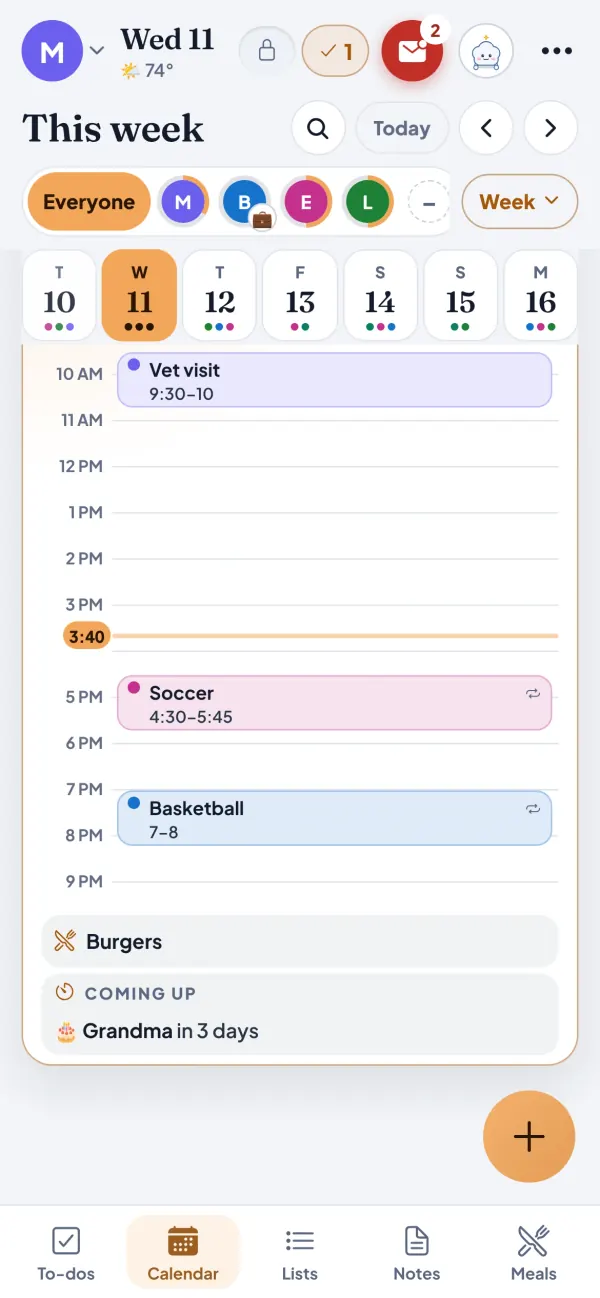
The week starts with today in a tall card: a timeline from morning to evening with a line for now, each event as a block as tall as it lasts, a timed to-do as a pin, and a deadline as a thin line with its time. Under it sit tonight's dinner and a "Coming up" row with the birthdays and countdowns of the next two weeks. Yesterday sits beside it, and the next days follow.
A thing with an end shows its length: "1–3 PM · 2 h". A repeating chore keeps the same window each time, and a to-do turns red when its end has passed, not when it starts.
- A line for now, and blocks as tall as the thing lasts
- Dinner and "Coming up" in today's card
- The weather in each day's header
A week with hours on every day
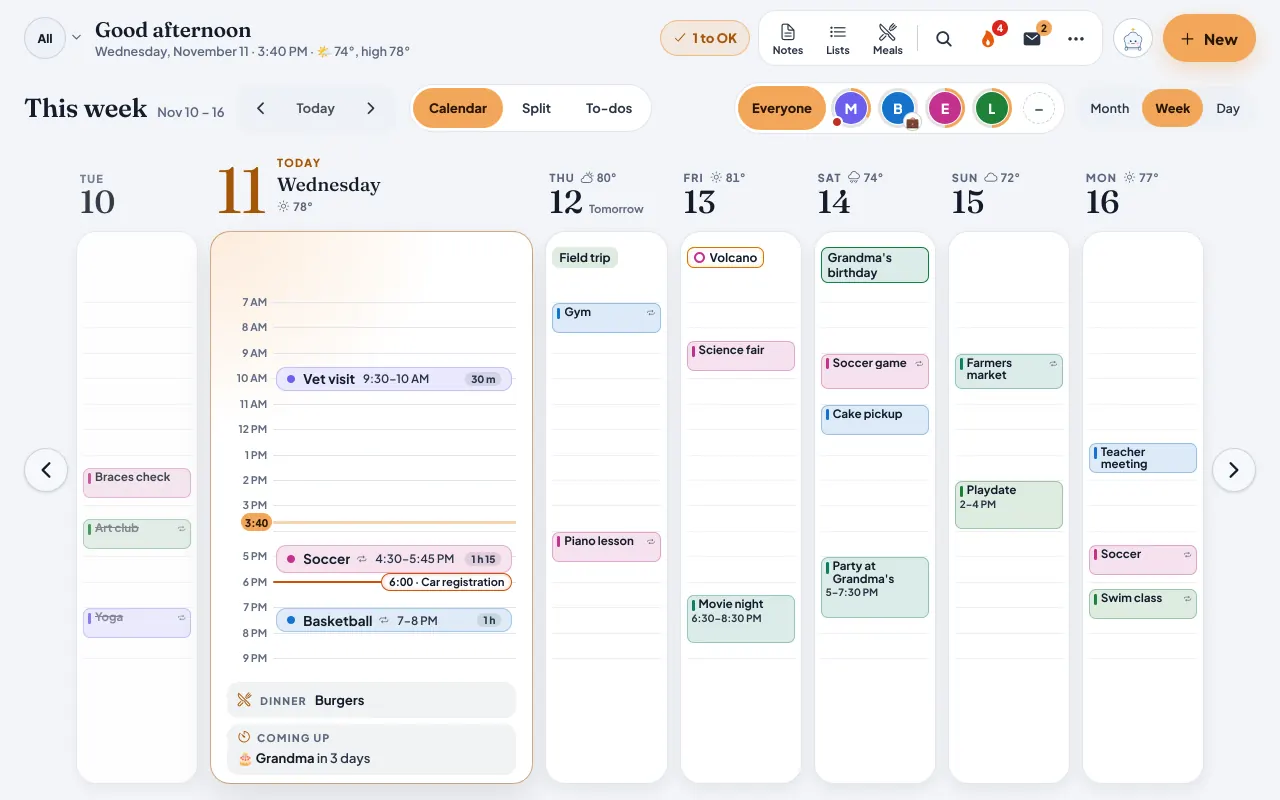
Every day column has the same morning-to-evening timeline as today, on one shared hour scale: 3 PM sits at the same height all week, and every hour is the same height. You can run your eye across the week and see who is busy when. Events and timed to-dos sit at their hour. All-day and untimed things sit in a band of the same height in every column, and the timelines scroll together.
When two things share an hour they sit side by side where there is room, and a "+1" opens the day. Trips and breaks run across the days as one ribbon instead of seven copies. Tap an empty hour to add something at that hour.
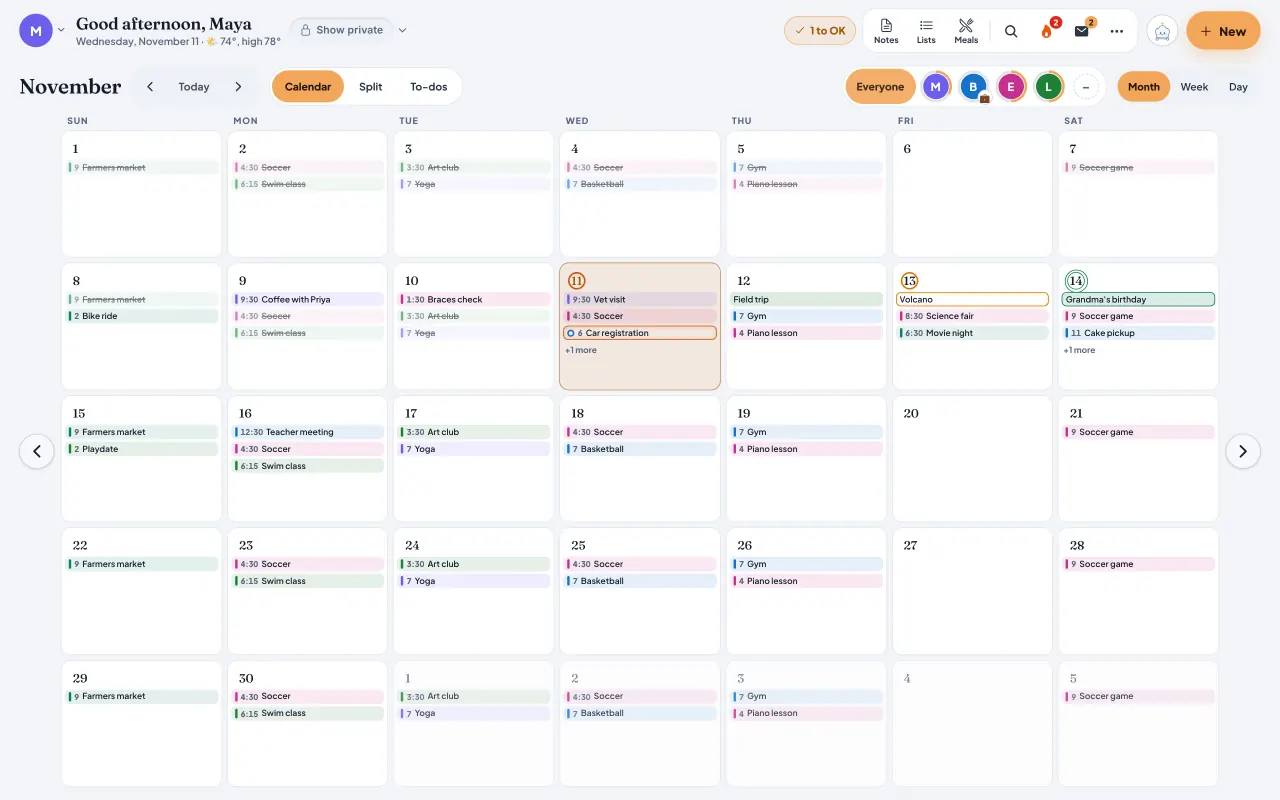
Prefer a grid? Month shows bars across the days, with a ring on a deadline's day and a green double ring on a birthday. Day gives each person a lane of their own.
Calendar | Split | To-dos
The week and the to-dos, side by side
One selector at the top, the same on every screen: Calendar for the week, Split for the week with everyone's to-dos beside it, and To-dos for the to-dos alone. On a large monitor or a computer, Split is the whole family's plan at a glance. On a phone, the same choice sits behind the tabs along the bottom.
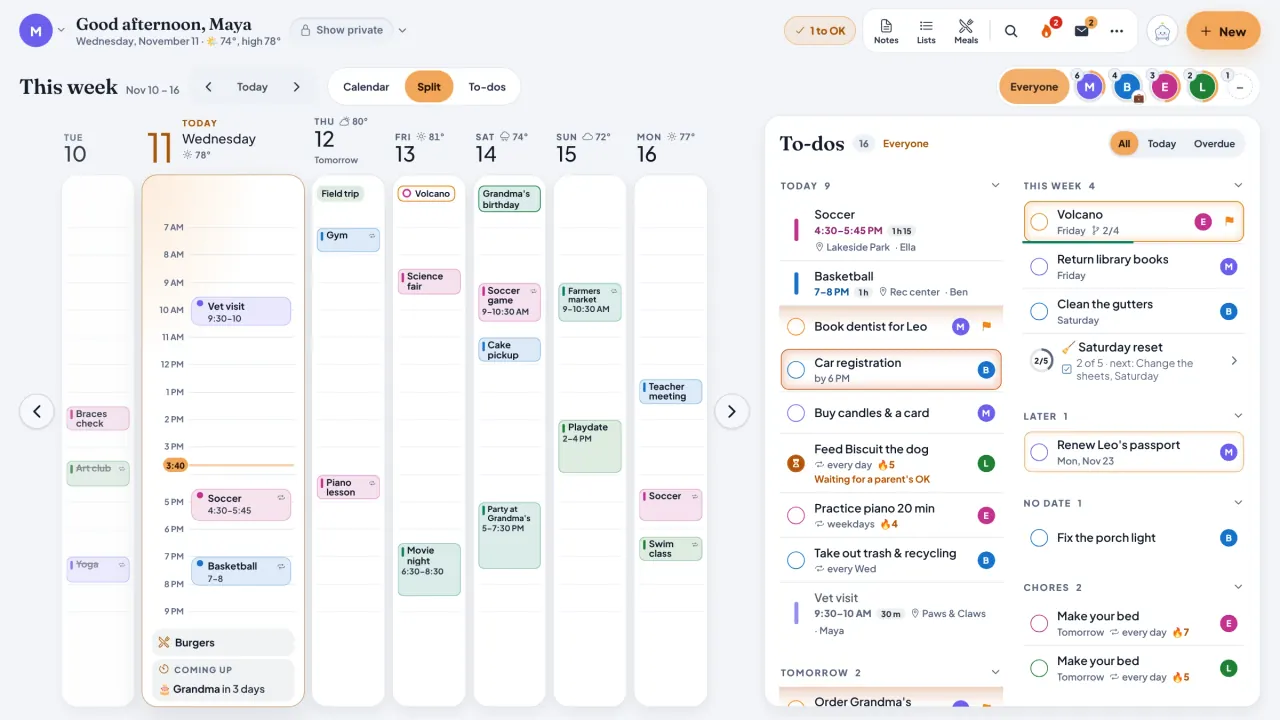
- One row of people: Everyone, each person, Unassigned
- The calendar and to-dos follow the person you pick
- In Work mode, just your work week
Everyone's color
Who is where, at a glance
Each person has a color, a picture and a ring for how much of today they have done. Practices, events, birthdays and family nights sit in one calendar, and the things that belong to a person stay on that person. Private things stay on their owner's own devices.
Connect Google Calendar and it works both ways: what you make for yourself goes into your Google Calendar, and changes there come back. Outlook calendars and calendar links from school or the team come in too, so you stop copying dates by hand.
- Google Calendar both ways, Outlook and calendar links in
- Birthdays and anniversaries, with a reminder in time to buy a card
- Deadlines with a warm glow, and a list of what is due next
On a phone
The same week, in your pocket
On a phone the week is a strip of days: tap a day and you see its card with its timeline. Month shows the day's list under the grid. Tabs along the bottom take you to To-dos, Calendar, Lists, Notes and Meals, with + New above them and Say it beside it, so you can add "Leo has the dentist on Tuesday at 3:30" by talking.
- The week as a strip of days, each with its timeline
- Reminders that arrive, even with the app closed
- Works offline, and syncs by itself when it is back
Questions
Good to know
What is the best way to share a calendar with my family?
Give every person a color in one shared calendar, and keep the things that belong to a person on that person. InVenn does that, and shows the week with hours so a clash is visible before it happens. It connects to Google Calendar both ways, so you do not have to move everything at once.
Does the week show times, or only a list of events?
It shows times. Every day has a timeline from morning to evening on one shared hour scale, so 3 PM sits at the same height all week. Events and timed to-dos sit at their hour and are as tall as they last, and all-day things sit in a band at the top.
What are Calendar, Split and To-dos?
A selector at the top. Calendar shows the week, month or day. To-dos shows everyone's to-dos. Split shows the week with a to-do panel beside it on a large screen, and on an upright tablet the week above two columns of to-dos.
Can I see just one person's day?
Yes. The row of people has Everyone, each person and Unassigned. Tap a person and the calendar and the to-dos follow, and a tap on Everyone brings the rest back. On the family tablet, hold a picture to see that person's card.
Does it work with Google Calendar?
Yes, both ways: events you make for yourself go into your own Google Calendar, and changes there come back. Outlook calendars and calendar links from a school or a team come in too.
Does it work on a phone?
Yes. On a phone the week is a strip of days, each with its card and timeline, Month shows the day's list under the grid, and the tabs along the bottom are To-dos, Calendar, Lists, Notes and Meals.
Get the app
Get your family's code
Free, and no waiting. Type your name and email: your code appears right away, with step-by-step instructions for every phone, tablet and computer. We email them to you too.
One code per family. We use your email only to send your code and instructions. Privacy policy