Where your family's days meet.
InVenn turns a tablet on the kitchen wall and everyone's phones into one family organizer: the calendar, chores kids actually do, routines, meals, lists and a family mailbox. No new screen to buy. No ads.
Already in the beta? Open the app at app.invenn.app
- Any tablet, phone or computer
- Installs from the browser in a few taps
- Every device in sync, anywhere
- No ads, no tracking
The Wall
The whole family's day, on the kitchen wall
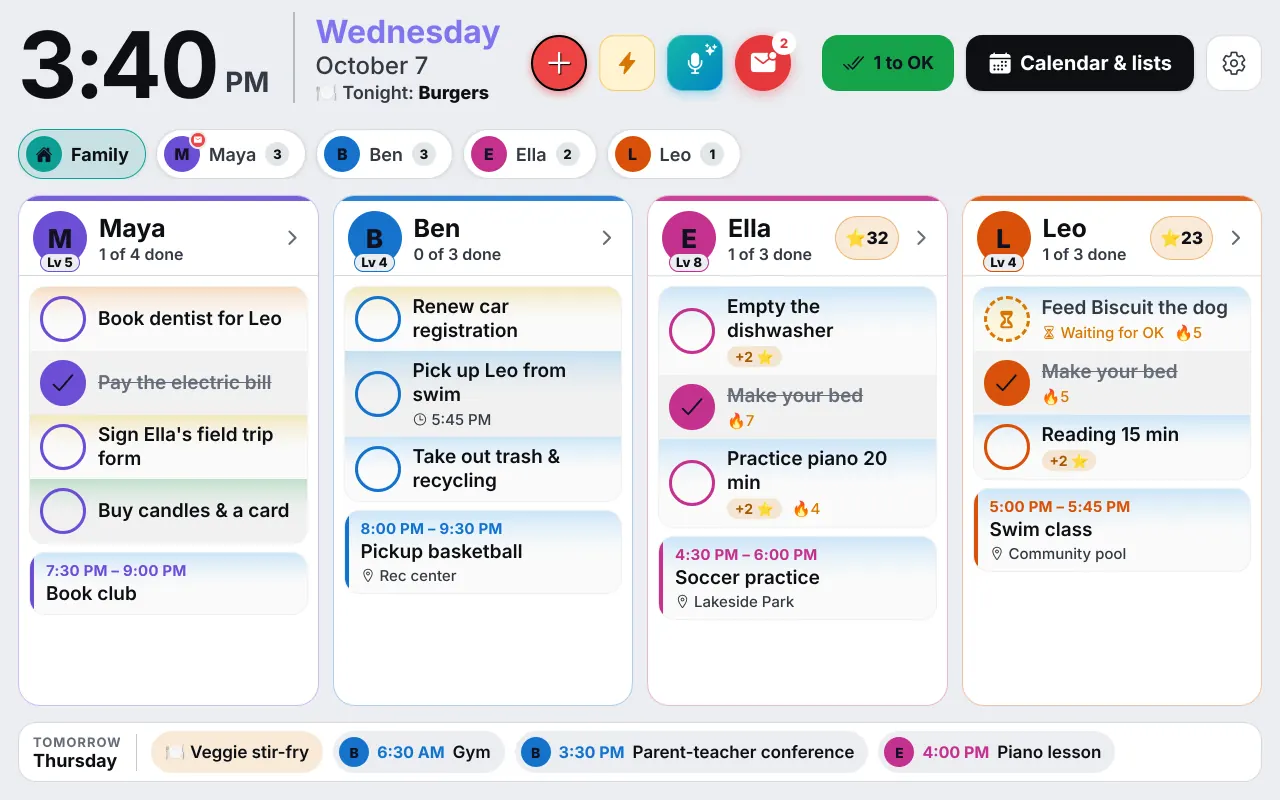
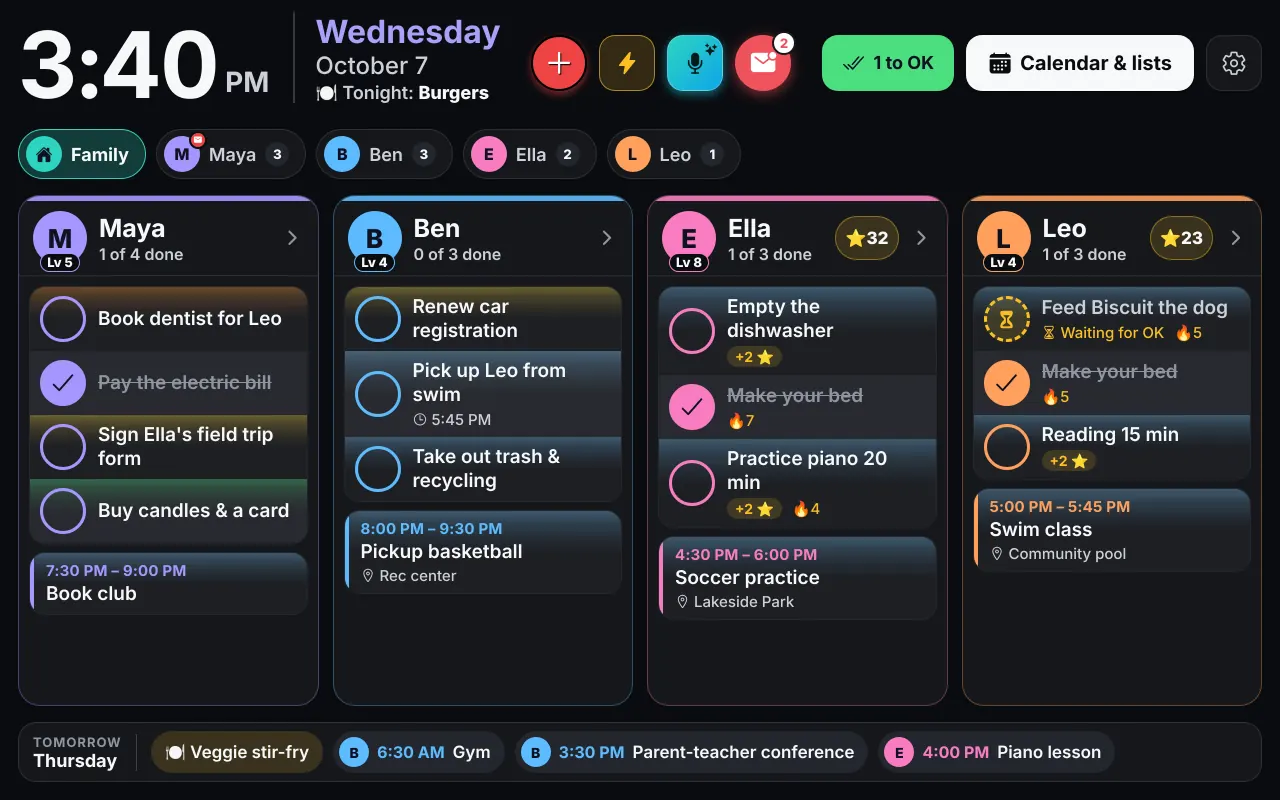
Put a spare tablet where everyone walks by and it becomes the Wall: each person's to-dos and appointments in their own colour, big enough to read from across the room. Kids tap their own picture to tick off chores. Tonight's dinner and tomorrow's plans are right there too.
- A column for each person, in their own colour
- Big tick buttons for small fingers
- Family photos when nobody's using it, and dimmed at night
- Tonight's dinner and tomorrow at a glance
Chores, stars and rewards
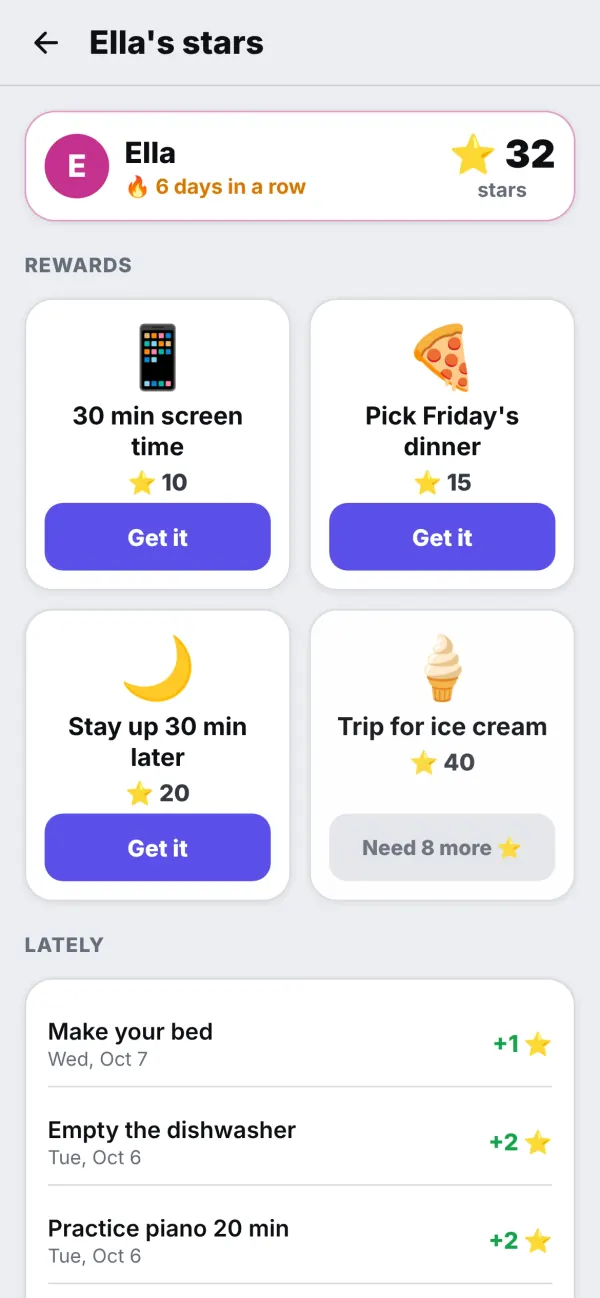
Chores kids actually want to do
Chores earn stars. Kids spend them in your family's own rewards store: screen time, picking Friday's dinner, staying up a little later. A parent OKs each finished chore and each reward, so "done" really means done.
- A parent's OK on chores and rewards
- Streaks and a little confetti
- Chores that take turns, or one for each kid
- An allowance with Save, Spend and Give jars, if you want one (no bank card)
Routines
Mornings without the nagging
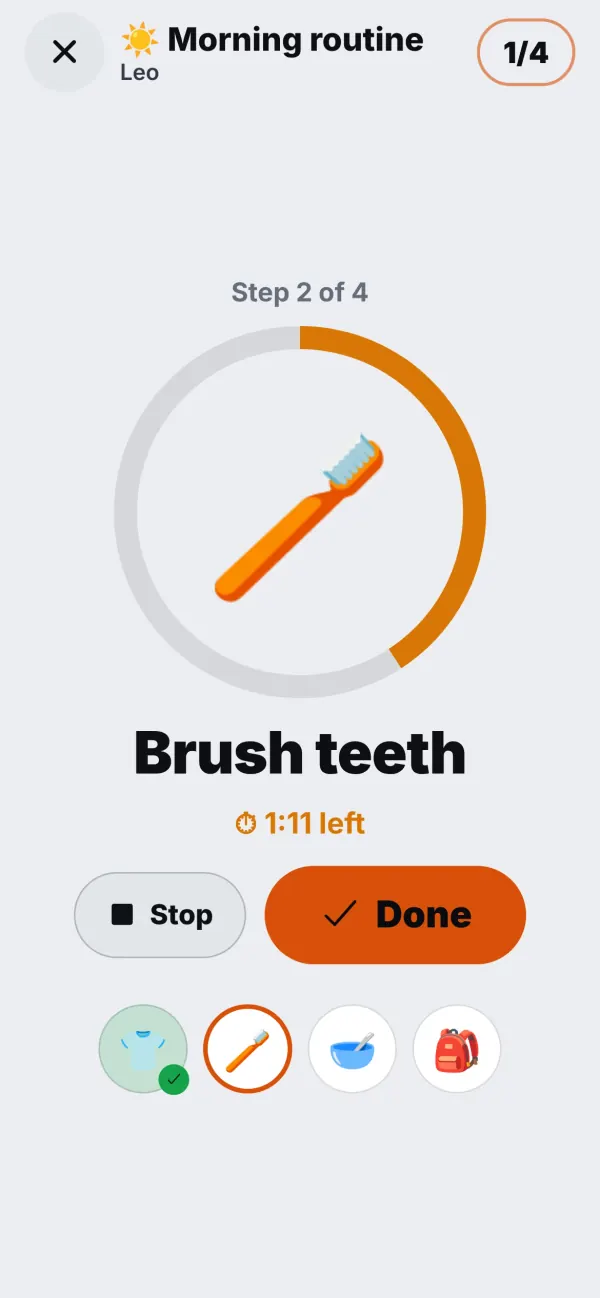
Give a kid a morning, after-school or bedtime routine. At its time it shows up on their card. They tap it and do one big step at a time, with a timer if you like, and get confetti and stars at the end.
- Big pictures for kids who can't read yet
- Optional timers on each step
- On the Wall and on their own device
Calendar
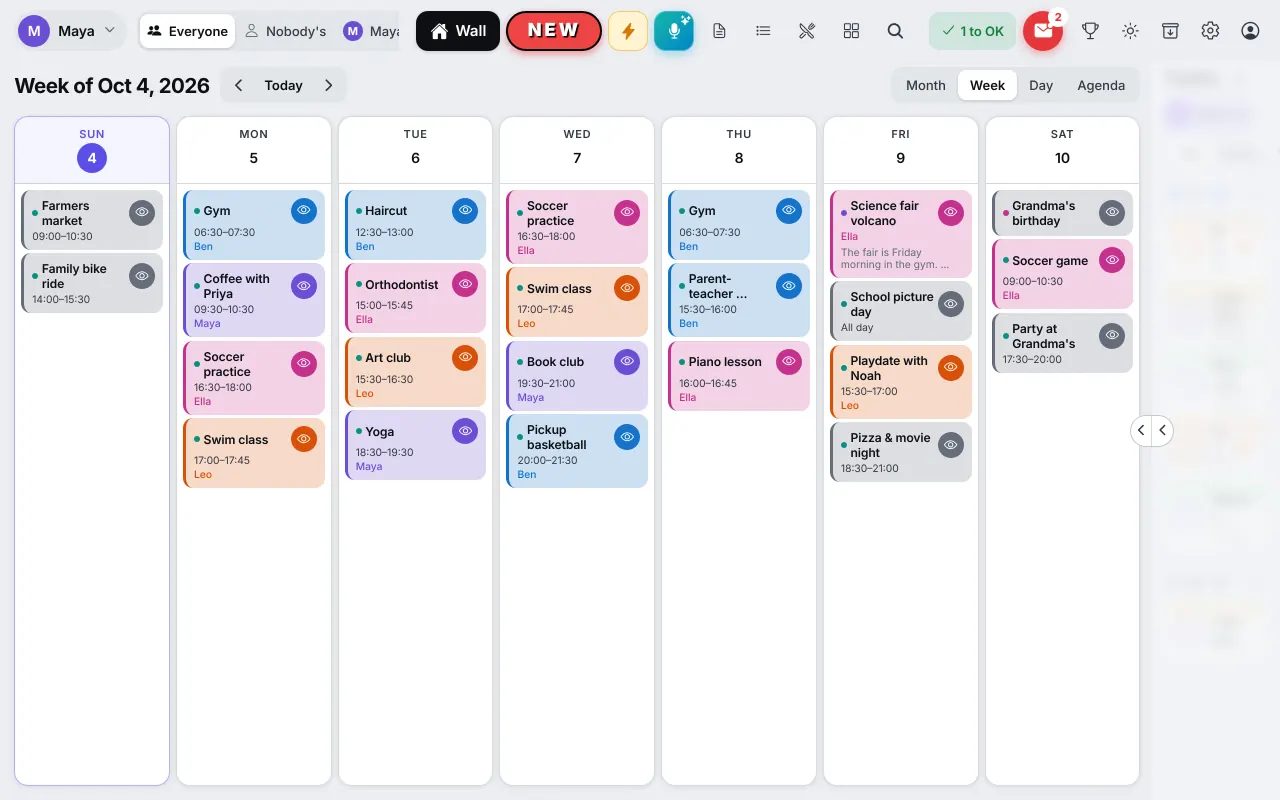
One calendar, everyone's colour
Practices, appointments, birthdays and family nights in one place, with a colour for each person. Connect Google Calendar and it works both ways. Outlook calendars and calendar links from school or the team come in too.
- Day, week and month views
- Google Calendar, both ways
- Private things stay on their owner's own devices
On a computer or a big screen
Your whole week in one view
On a computer or a large monitor, InVenn puts the calendar and everyone's to-dos side by side: the month or the week on one side, everyone's to-dos for today, this week and later on the other. Keep it open on a second screen in the office, or on a big screen in the hallway, and plan the week at a glance.
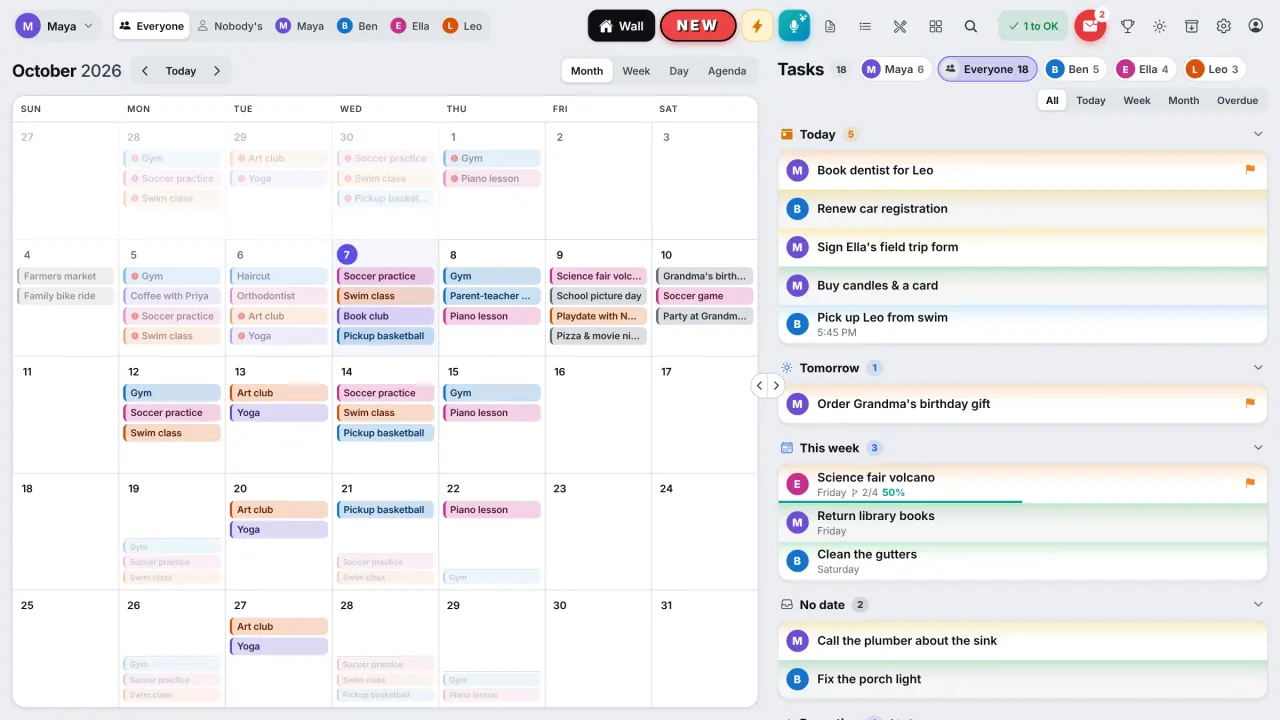
- Calendar and to-dos side by side
- Widen either side with one tap
- Quick add: type several things at once
- In Work mode, just your work week
Meals and recipes
What's for dinner? Already decided.
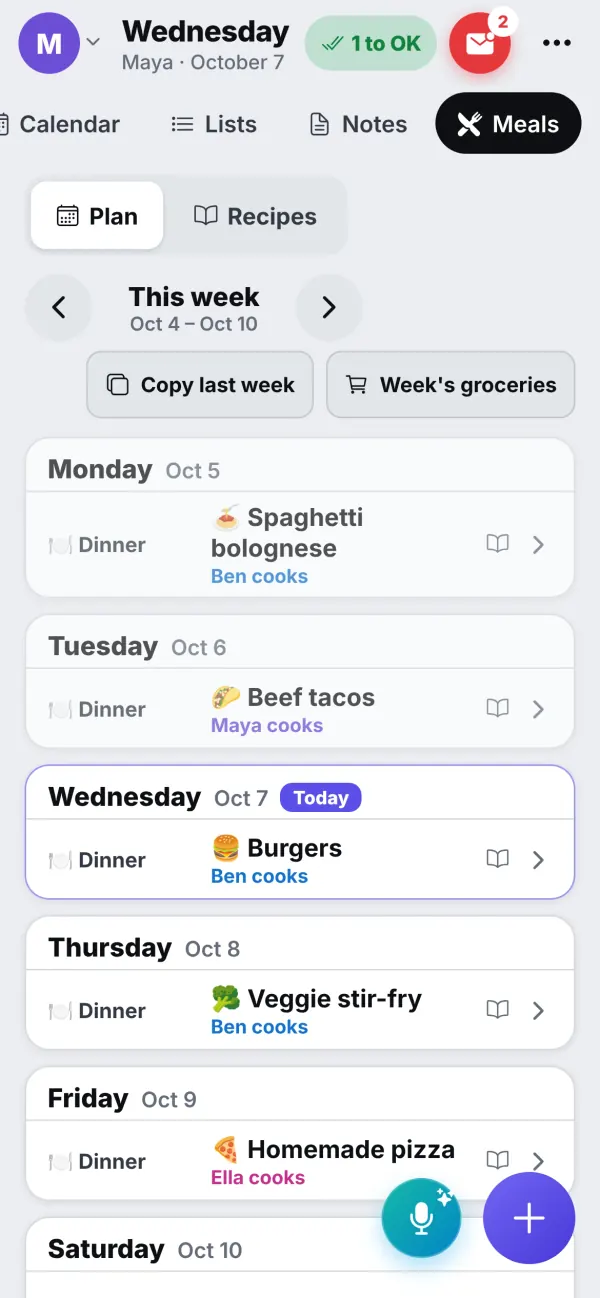
Plan the week's dinners and who's cooking. Paste a link from a recipe site to keep the recipe, cook from big step-by-step cards, and send the ingredients to the grocery list without doubles. Kids can suggest a dinner, and you accept it with one tap.
- Copy last week in one tap
- Recipes from a link, cook mode that keeps the screen on
- The week's groceries on the shared list
To-dos, lists and a family mailbox
Asking turns into doing
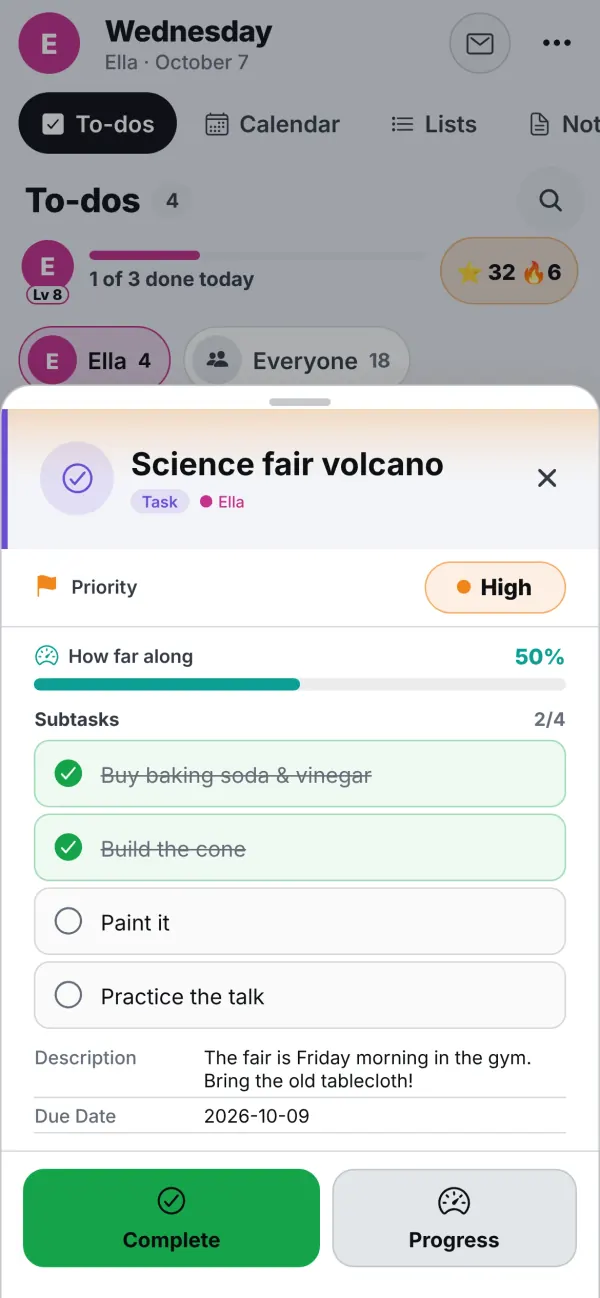
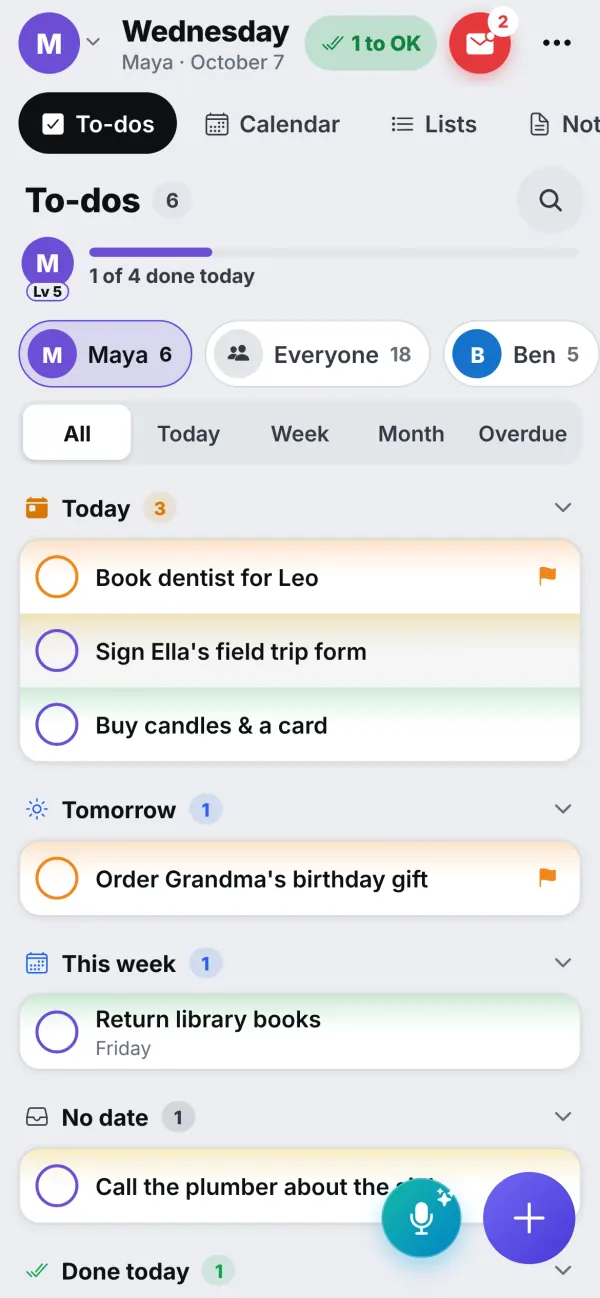
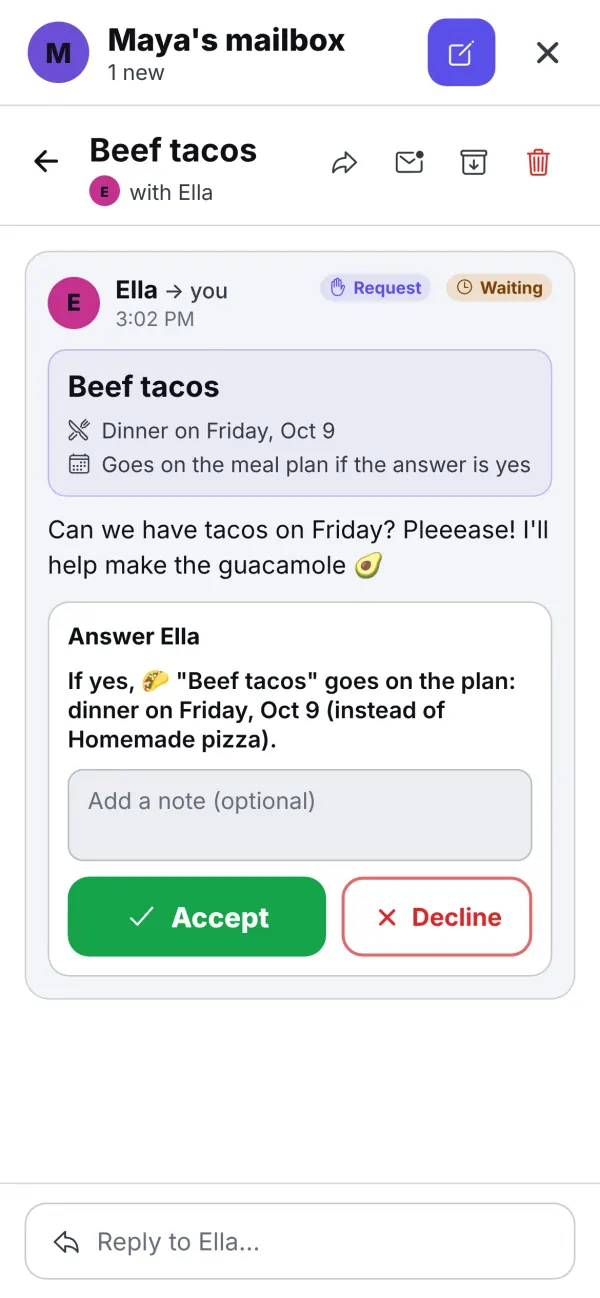
To-dos with priorities and subtasks, reminders on your phone, shared lists and notes. And a family mailbox: when a kid asks "Can we have tacos on Friday?", Accept puts it on the meal plan. A request can become a to-do or a chore the same way.
- Priorities in colour, subtasks you tick as you go
- Reminders that arrive, even with the app closed
- Work and school lists that stay out of the way
Work and school mode
Work stays at work. School stays at school.
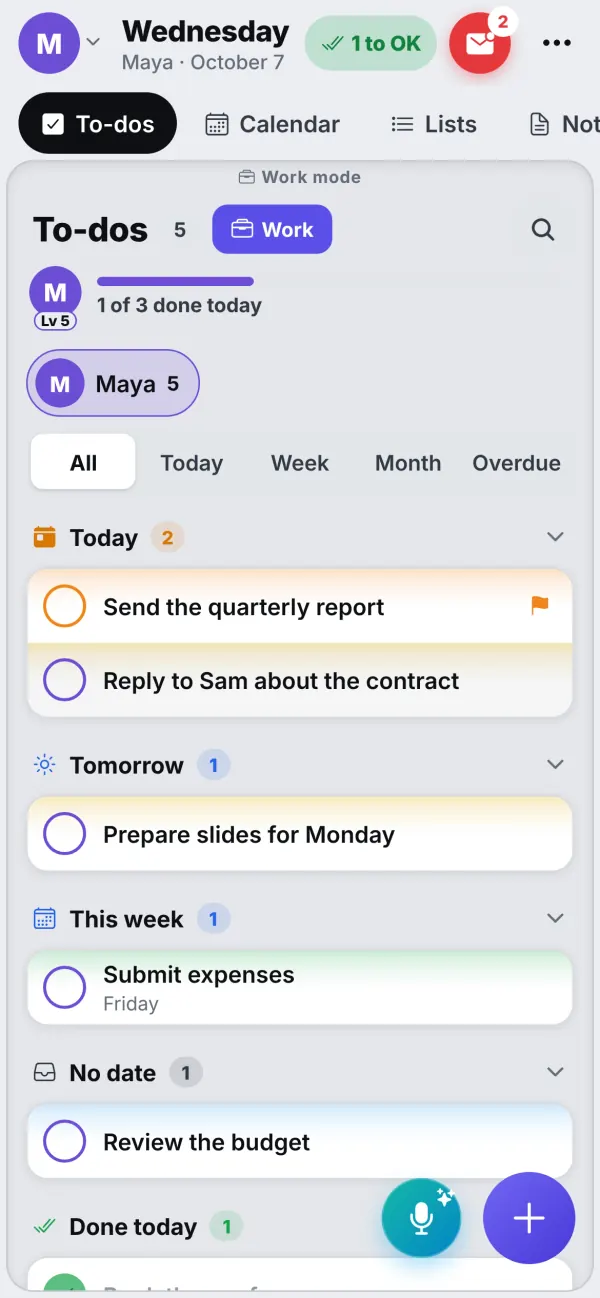
Give a grown-up a Work list and a kid a School list. On their own phone or computer, one tap on Work shows only those things, inside a calm frame, and the family's chores step aside. The rest of the time, work to-dos stay out of everyone's way, and work appointments show only on their own devices.
- A Work list for grown-ups, a School list for kids
- Work mode: only work things, one tap away
- An Outlook work calendar can come in as Work
- Never on the Wall or anyone else's phone
Just say it
Add things by talking
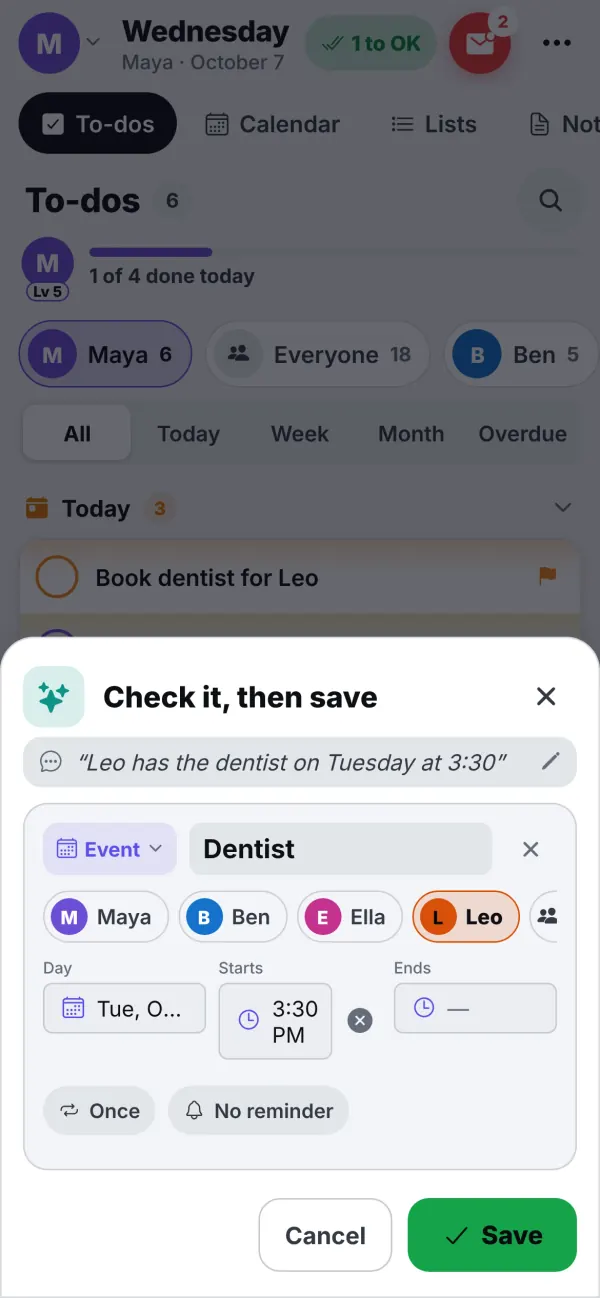
Tap the mic and say "Leo has the dentist on Tuesday at 3:30." InVenn works out who, what and when, and shows a card to check before anything is saved. If something is unclear, it asks.
A limited trial of AI voice adding is included in the beta. Kids can use it only if a parent turns it on.
And the little things
Made for a real family
Parents' PINs
Kids can't get into parent mode on the shared tablet. Each kid can also have their own device.
Reminders on your phone
For to-dos, appointments and birthdays, and when a chore is waiting for your OK.
Works offline
Every device keeps its own copy and keeps working. Changes catch up when it's back online.
A family photo frame
When nobody's touching the Wall, it shows your family's photos with the time in a corner.
Birthdays
Everyone's birthdays and anniversaries, with a reminder in time to get a card.
Your copy, any time
Download a backup of everything whenever you like. Nightly backups happen on our side too.
Our promise
Built for your family, not for advertisers
Kids use this screen every day. Here's what that means for how we build it.
No new screen to buy
Use the tablet, phones and computers you already have. The tablet in the drawer is enough.
No ads, no tracking
No ads on the screen your kids use, and nothing that follows you around the internet.
Your things stay yours
We never sell anything about you or your kids. Each family has its own database. Download it, or delete your whole family yourself, any time.
Parents decide
A parent creates the family and says who's in it, sets the PINs, and OKs chores and rewards. Kids use the AI only if you turn it on.
How it works
Ready in ten minutes
Get your code
Type your name and email below. Your family's code appears at once, and we email it to you with simple instructions.
Start your family on your phone
Open app.invenn.app, tap New, enter the code, and add everyone. Put it on your Home Screen so reminders arrive.
Put the Wall on a tablet
Join the tablet with a short code from your phone, choose "Shared family tablet", and put it where everyone walks by.
The beta
Free while we build it with you
Families in the beta get InVenn for free, and help shape what it becomes. Tell us what gets in the way, and we fix it.
After the beta there will be plans for sync and for AI. See the roadmap
- Up to 10 devices with full sync
- Nightly backups
- A limited trial of AI voice adding
- Every feature on this page
A work in progress, on purpose
InVenn is under active development. Not every feature is finished yet, and we're fine-tuning everything as families use it. New features arrive regularly, and a few of the smaller ones may change or be retired as we learn what families really use.
A note on the beta: the service may be unavailable now and then while we update it, move it to another server, or for other reasons. We keep these interruptions short, each device keeps its own copy in the meantime, and every family's data is backed up daily.
Testing InVenn? Please send us your suggestions, and tell us about anything that goes wrong: contact us, or use Settings → Send feedback in the app.
Questions
Good to know
Do I need to buy a special screen?
No. Any tablet works, like an old iPad or an Android tablet, and so do phones and computers. Many families use a tablet they already had in a drawer.
Is there an app in the App Store?
Not yet. InVenn runs in your browser and installs to your Home Screen in a few taps, so it opens full screen like any other app and sends notifications.
How much does it cost?
Nothing during the beta: up to 10 devices with full sync, nightly backups and a limited trial of AI voice adding (200 voice adds per family). The plans we're working on for after the beta are on our roadmap.
Is InVenn finished?
Not yet, and that's on purpose. InVenn is under active development: families in the beta use it every day, but not every feature is fully done, and we're fine-tuning everything as we go. More features are on the way, and a few smaller ones may change or go away. The service may also be unavailable at times while we update it or move it to another server; every family's data is backed up daily. If you're testing it, please tell us your suggestions and anything that goes wrong, on the Contact page or with Send feedback in the app.
Does it work with Google Calendar?
Yes, both ways: appointments you make for yourself go into your own Google Calendar, and changes there come back. Outlook calendars and calendar links, like a school or a sports team's, come in too.
Can kids have it on their own phone or tablet?
Yes. A kid's own device shows their chores, routines and stars. On the shared tablet, parents' PINs keep parent mode for parents.
What happens to our family's information?
It's kept on our own server in the United States, each family in its own database, and backed up every night. We don't sell it, show ads or track you. You can download a copy, or delete your whole family yourself, any time. The privacy policy has the details.
Does it work without the internet?
Yes. Each device keeps its own copy and keeps working. Changes reach the rest of the family when it's back online.
We used TabletTasx. Is this the same app?
Yes. TabletTasx is now InVenn, at app.invenn.app. Your devices move over by themselves the next time they open, still signed in. An iPhone's Home Screen app shows an 8-digit code to type into the new one instead.
Join the beta
Get your family's code
Free during the beta, and no waiting. Type your name and email: your code appears right away, with step-by-step instructions for every phone, tablet and computer. We email them to you too.
One code per family. We use your email only to send your code and instructions. Privacy policy