
What's for dinner? Already decided.
Plan the week's dinners and who is cooking, keep the recipes you trust, and send the ingredients to one shared grocery list that adds itself up. It is on the Wall in the kitchen and in every pocket at the store.
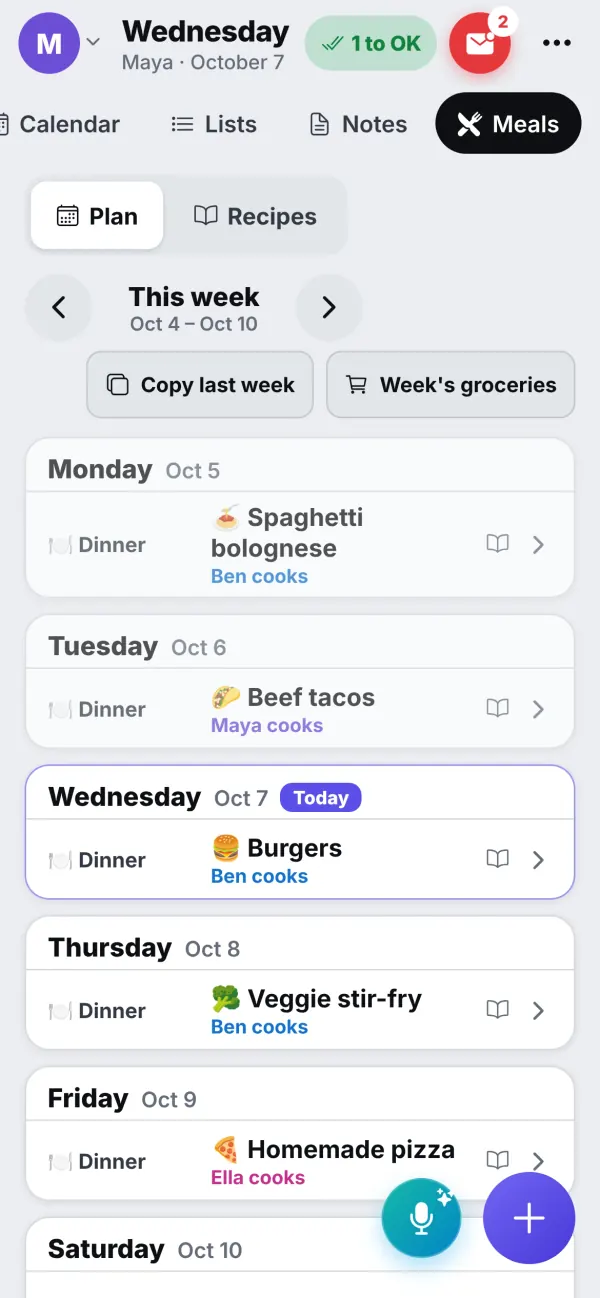
The week's dinners
Decide once, then stop asking
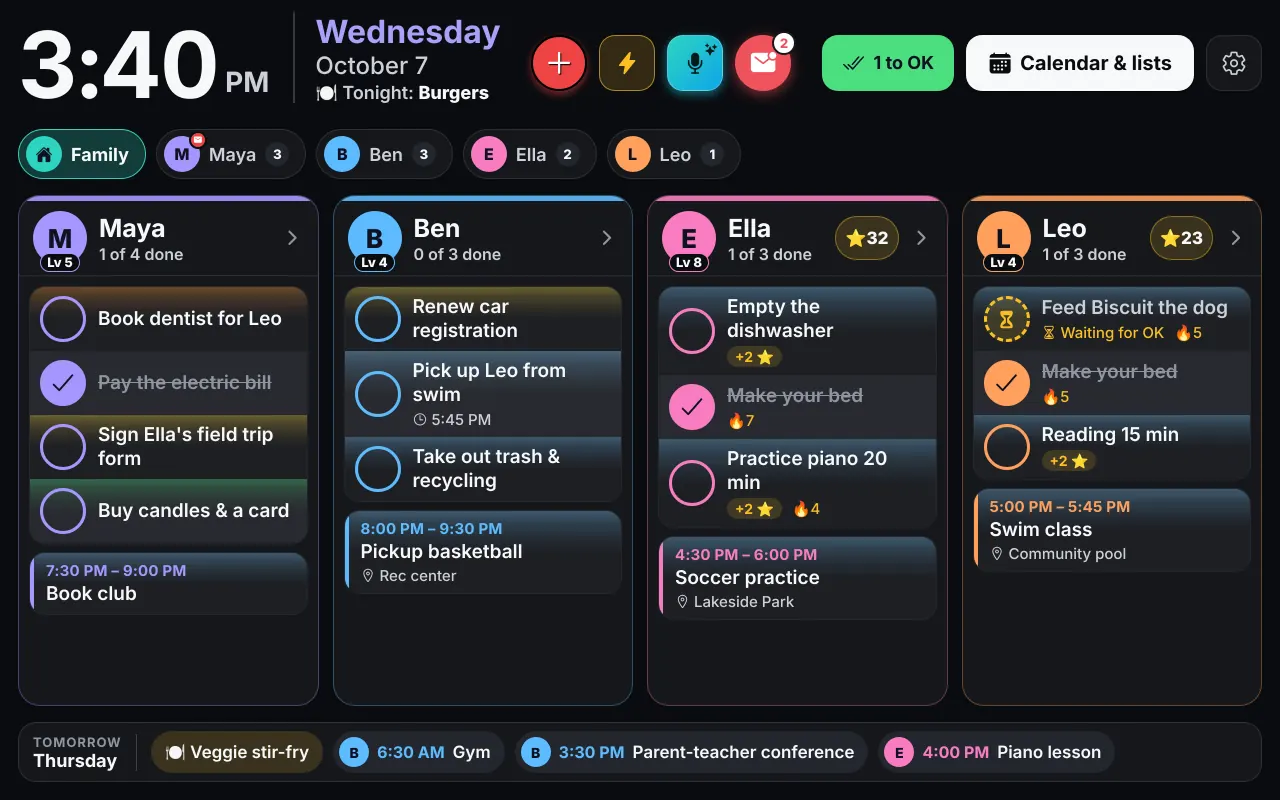
Put a dinner on each night and say who is cooking. Copy last week in one tap when the week was a good one. Tonight's dinner shows at the top of the Wall, so the question "what's for dinner?" answers itself before anyone asks it.
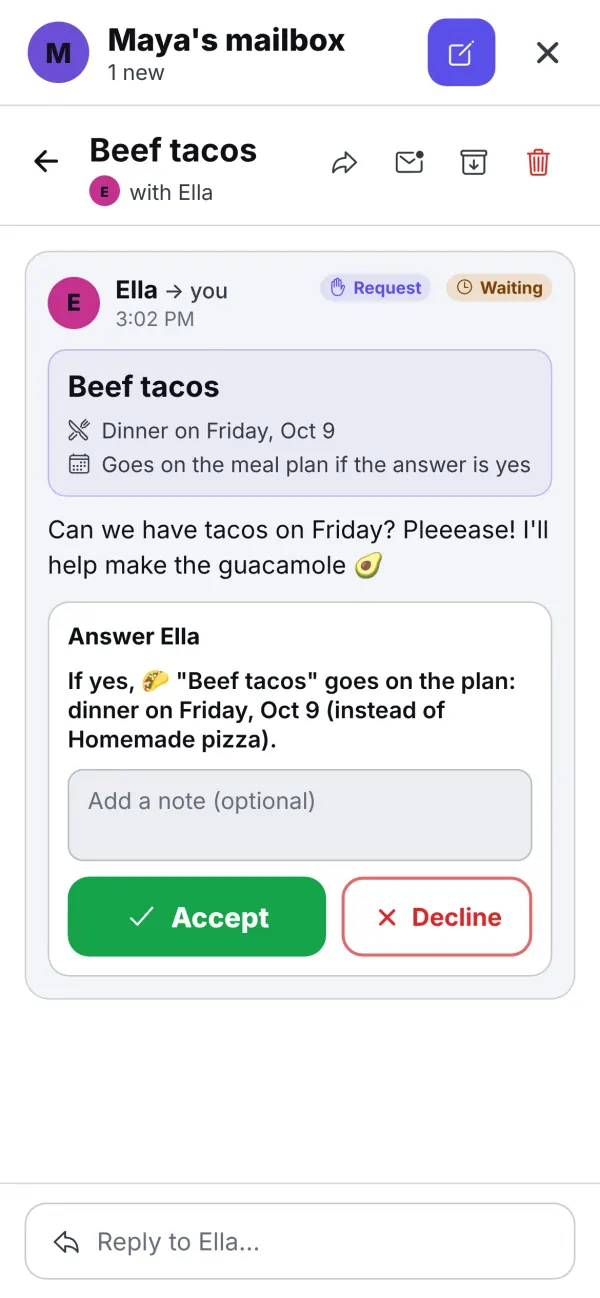
Not everything is a recipe: "Dinner at Grandma's" is a perfectly good plan. When a kid asks "Can we have tacos on Friday?" in the family mailbox, Accept puts it on the plan, and the ingredients are one tap from the list.
- Dinners for the week, with who cooks
- Copy last week in one tap
- Kids suggest, you accept
Recipes you actually cook from
Paste a link from a recipe site and InVenn keeps the recipe, or type your own. Give it a photo and it is easy to spot in the list. Change the number of servings and every amount follows.
Cook mode turns the recipe into big step cards that keep the screen awake, so you can follow along with floury hands. Timers ring until you tap Stop, carry on after you close Cook mode, and send a notice when the screen is off. "1 hour 15 minutes" is one timer, not two.
Everything works in your language: ingredient amounts read correctly in Russian, and boxes, bags, cartons and dozens count as units.
The grocery list
A list that adds itself up
Send a recipe's ingredients to the grocery list and tick what you need first: salt and oil are not ticked by default. The same thing is added up, so 2 eggs and 3 eggs become 5 eggs. Ingredients you bought for a meal are not put back.
The list is shared, so whoever is at the store sees the same thing as whoever is at home, and an item added by voice lands on it too: say "add milk to the grocery list". Items show by aisle, with fruit and vegetables, dairy and meat together.
- Ingredients added up, not repeated
- Grouped by aisle, on phones and on the Wall
- Shopping mode on by default
A Sunday habit
Plan the week in ten minutes
Fill the week
Copy last week, or add five dinners. Ask each kid to suggest one in the mailbox.
Send the ingredients
Tick what you need. The list adds things up and sorts them by aisle.
Shop and cook
Shop from the list on your phone, and cook from the big step cards.
Questions
Good to know
Can I save a recipe from a website?
Yes. Paste a link from a recipe site and InVenn keeps the recipe, with its ingredients and steps. You can also type one in, and give it a photo.
Does the grocery list add things up?
Yes. If one recipe needs 2 eggs and another 3, the list says 5 eggs. Things that don't add up get a line each, and you tick what you need before anything is added, so salt and oil are not.
Is the grocery list shared?
Yes. It is the family's list, on every phone and on the Wall. Shopping mode is on by default for grocery lists, and items show by aisle, which you can turn off in the list's settings.
Can my kids suggest dinners?
They can. A kid sends a dinner idea through the family mailbox, and you accept it with one tap, which puts it on the meal plan.
Does it scale a recipe for more people?
Yes. Change the number of servings and the amounts follow, in Cook mode and on the grocery list too.
Get the app
Get your family's code
Free during the beta, and no waiting. Type your name and email: your code appears right away, with step-by-step instructions for every phone, tablet and computer. We email them to you too.
One code per family. We use your email only to send your code and instructions. Privacy policy