
Mornings and bedtimes without the nagging
Give a kid a morning, after-school or bedtime routine. At its time it shows up on their card. They tap it, do one big step at a time, and finish with confetti and stars. You stop being the timer.
One step at a time
A routine a kid can run alone
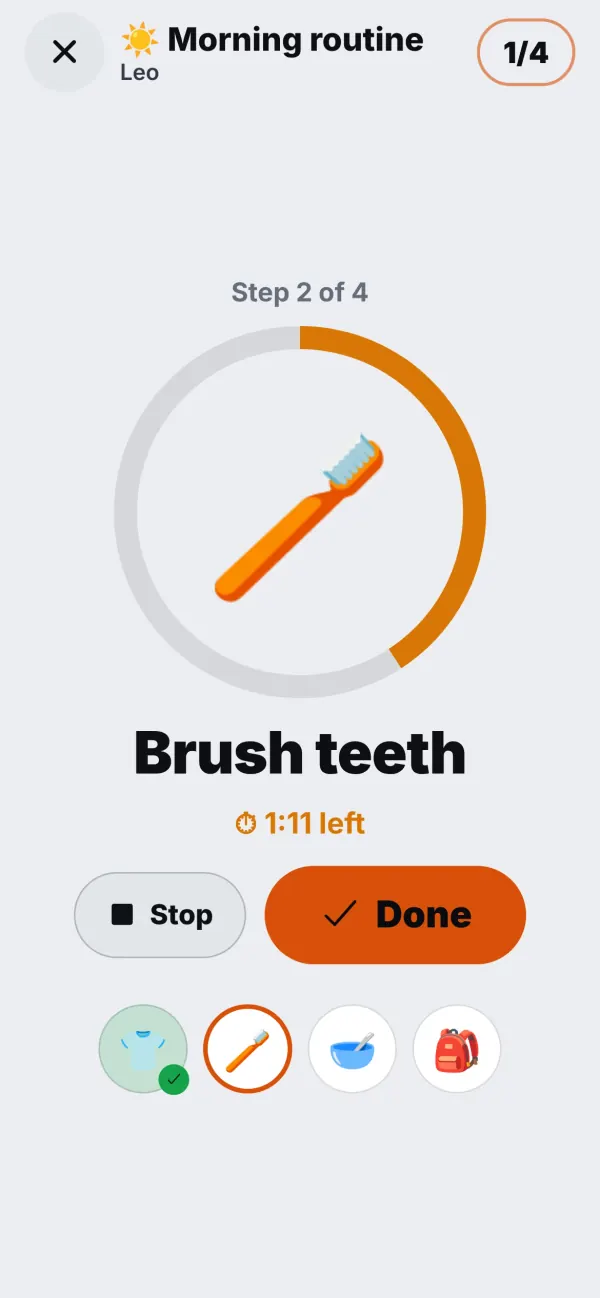
A long list is a lot for a seven-year-old at 7:20 in the morning. The routine player shows one step: a big picture, a few words, a big Done button. Tap, and the next step appears. If a step has a timer, such as two minutes for brushing teeth, it counts down on the screen.
At the end there is confetti and the stars the routine pays. It is a small thing, but it changes who is in charge of the morning.
- Big pictures for kids who can't read yet
- An optional timer on any step
- Confetti, and stars if you want them
At the right time
It appears when it is needed
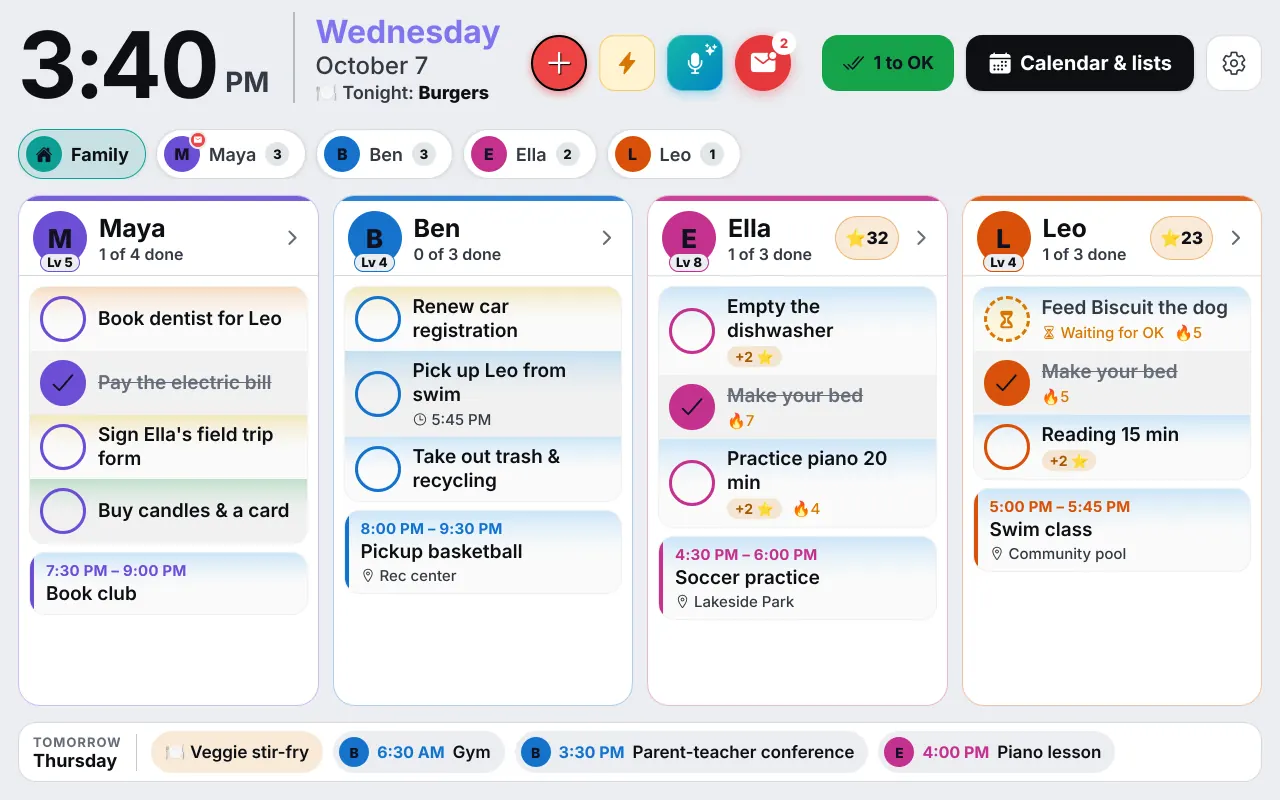
You pick the days and the time window. Leo's morning routine runs from 6:45 to 8:15 on school days, and during that window it sits on his card, on the Wall in the kitchen and on his own device.
Real mornings do not always go to plan. A routine that isn't finished by its end time stays for a while as "not finished, 3 of 5", so a late kid can still complete it. A kid who is away doesn't see their routines on those days.
- Morning, after school or bedtime, on the days you choose
- On the Wall and on the kid's own device
- Copy a routine to another kid in one tap
What goes in a routine
Keep each routine to four to six steps, and word them the way you would say them out loud.
- Morning: get dressed, brush teeth (two minutes), breakfast, shoes and backpack.
- After school: snack, unpack the backpack, twenty minutes of homework, then play.
- Bedtime: bath, pyjamas, brush teeth, one story, lights out.
Routines work well next to chores. A routine is the same few steps in the same order, every day. A chore is a job that earns stars, such as feeding the dog or emptying the dishwasher. See the chore chart app for how stars and rewards fit together.
Parents get the picture in Kids' week: which routines were done, finished late or missed, next to chores and stars. If a day goes badly, nothing is lost. Adjust the steps and try again tomorrow.
Set it up
Your first routine in five minutes
Write the steps
Add four steps with pictures, and a timer on the ones that need it, like teeth.
Choose the window
Pick the days and the time it runs, for example 6:45 to 8:15 on weekdays.
Hand it over
Show your kid how to tap the routine. Do the first morning together, and leave the rest to them.
Questions
Good to know
What ages are routines good for?
From about four, with big pictures and one step at a time, to around ten, who can run their own morning. Older kids usually prefer a plain checklist, which a repeating checklist or their chores can cover.
Can a kid who can't read yet use it?
Yes. Every step has a big picture, and the player shows one step at a time with a big Done button.
What if a routine isn't finished in time?
A routine that is not done by its end time stays for a while as 'not finished, 3 of 5', so a kid can finish it late. Parents see it in Kids' week.
Do routines pay stars?
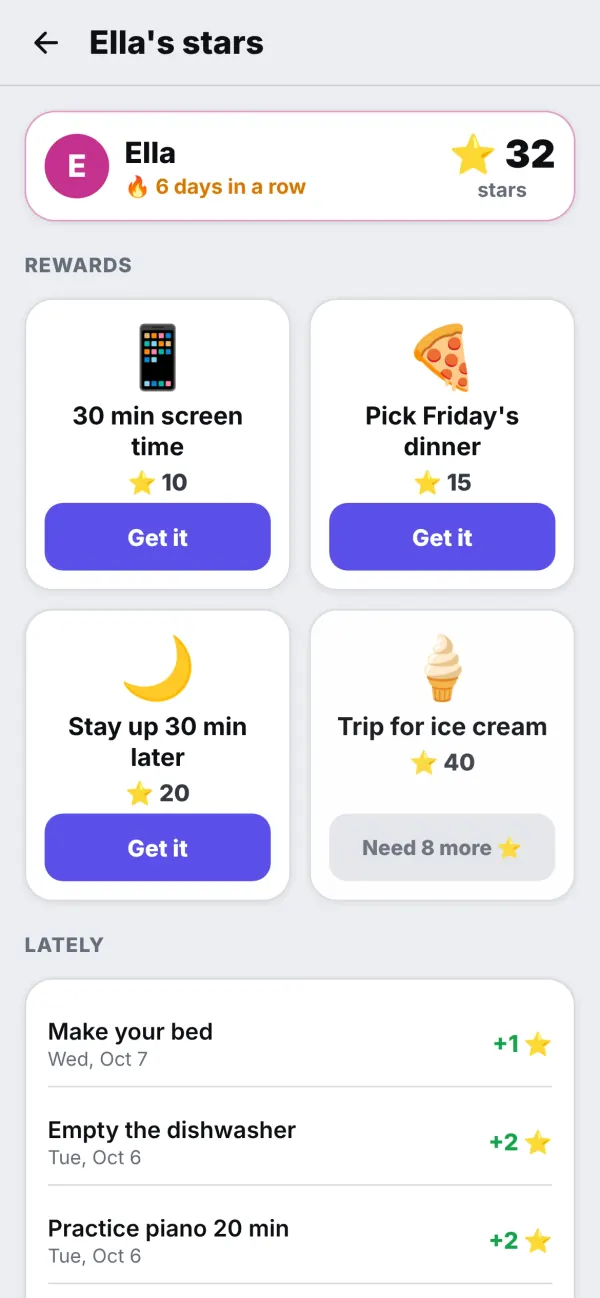
If you want them to. Each routine can pay a few stars when every step is done.
Can two kids have the same routine?
Yes. Copy to… gives another kid the same routine, and you can change their steps afterwards.
Get the app
Get your family's code
Free during the beta, and no waiting. Type your name and email: your code appears right away, with step-by-step instructions for every phone, tablet and computer. We email them to you too.
One code per family. We use your email only to send your code and instructions. Privacy policy